Re-Onboarding: Activating Dormant Users
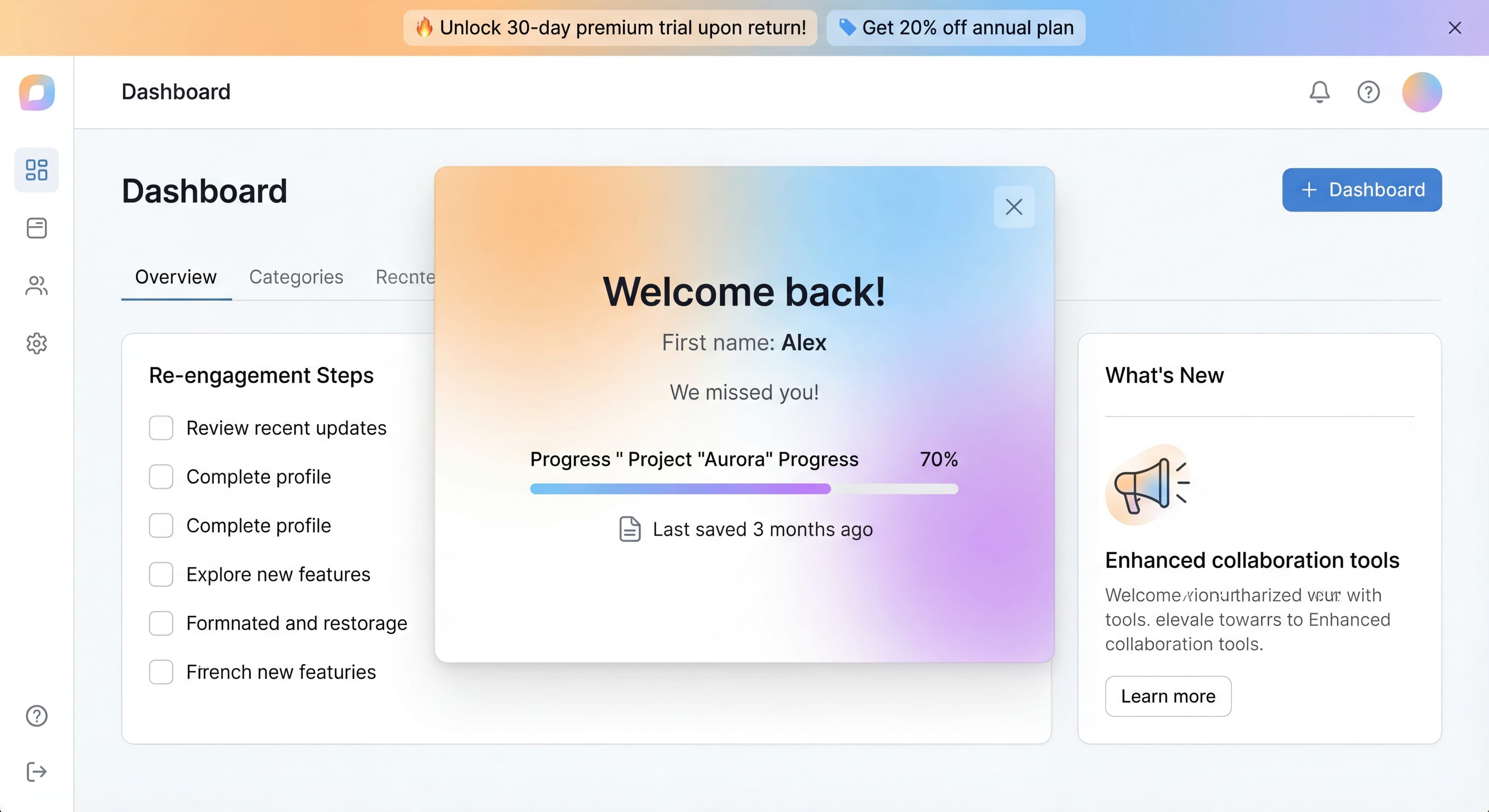

Not every user activates on their first attempt. Many sign up, try briefly, then go quiet. Not churned, but not engaged either. These dormant users represent both a problem and an opportunity. They've already shown interest, they have accounts, and reaching them costs you nothing. Reactivating them is often easier and cheaper than acquiring new users.
This guide covers how to identify, understand, and re-onboard dormant users effectively.
Users going silent?
Create step-by-step guides that re-engage dormant users and show them what they are missing with Glitter AI.
Understanding Dormant Users
Defining Dormancy
Dormant User:
Someone who signed up but hasn't returned in X days (typically 14-30+).
Not to Be Confused With:
- Churned: Explicitly canceled or deleted account
- Low activity: Using occasionally but still engaged
- Seasonal: Naturally variable usage patterns
Dormancy Categories
Never Activated:
Signed up but never completed key activation steps.
Activated Then Stopped:
Completed initial actions but stopped using product.
Declining Usage:
Activity has steadily decreased over time.
Sudden Drop:
Was active, then abruptly stopped.
Why Users Go Dormant
Never Found Value:
These users signed up with genuine intent but never experienced your product's value during initial usage. Maybe onboarding didn't work for them, leaving them confused about where to start. They may have hit empty states without guidance, tried features that didn't click, or simply never reached the moment where value became clear. In some cases, your value proposition wasn't obvious. They understood the mechanics but couldn't connect those capabilities to solving their actual problems. And sometimes the product genuinely didn't solve their problem because they misunderstood what you offer, they were a poor fit, or their needs fell outside your product's scope.
This category represents the biggest opportunity for improvement because these users wanted to succeed but your product let them down. Better onboarding, clearer messaging, and improved first-time experiences can shrink this cohort significantly. When re-engaging never-activated users, focus on addressing the gaps that caused initial failure rather than just reminding them your product exists.
Found Value, Lost Momentum:
These users successfully activated and experienced genuine value, which makes their dormancy frustrating. They didn't leave because your product failed. They left because life happened. Maybe they got buried in urgent projects, pulling attention away despite your product's utility. Perhaps priorities shifted organizationally, with new initiatives reducing focus on the workflow your product supports. Often, users just forgot about your product amid dozens of competing tools, especially if your solution addresses periodic rather than daily needs.
This segment has the highest reactivation potential because they've already validated fit. They know your value firsthand and have shown they can use your product successfully. The barrier isn't capability or fit. It's simply re-establishing habit and priority. Re-engagement should remind these users of value they've already experienced, show them the work they've invested, and gently nudge them toward re-establishing patterns that previously worked.
Hit a Blocker:
Some users encountered specific obstacles that stopped their progress despite genuine intent to succeed. Technical issues like bugs, integration failures, or performance problems created frustration that drove them away. Confusion about how to accomplish specific tasks led to dead ends. Missing features became apparent as critical gaps. They needed capabilities your product doesn't offer. Price concerns emerged when they realized features they needed required upgrades they couldn't justify.
These users represent salvageable opportunities if you can address their blockers. Technical issues can be fixed and users notified. Confusion can be overcome with better documentation or guided assistance. Missing features might now exist if you've shipped updates since they went dormant. Price objections might be addressed through different packaging or special offers. The key is identifying which specific blocker affected each user and addressing it directly rather than sending generic messages.
Solved the Problem:
Some users went dormant simply because they accomplished what they needed. They used your product for a one-time project, seasonal need, or temporary situation that has concluded. Others found alternative solutions that better fit their evolved needs or came bundled with other tools they adopted. Sometimes the original need went away due to role changes, process evolution, or business pivots that eliminated the problem your product solves.
This segment has the lowest reactivation potential because dormancy reflects completion rather than failure. But don't write them off entirely. Past users might encounter new situations where your product becomes relevant again. Changed circumstances might re-create the original need. New features might address use cases beyond their initial one-time usage. The approach here should be light-touch monitoring rather than aggressive reactivation, staying visible for if and when circumstances change.
Identifying Dormant Users
Defining Thresholds
Example Definitions:
| Status | Definition |
|---|---|
| Active | Logged in within 7 days |
| At-Risk | 8-14 days since login |
| Dormant | 15-30 days since login |
| Deep Dormant | 30+ days since login |
Segmenting by Behavior
Segment 1: Never Activated
Last login: Within first week of signup
Actions completed: < activation threshold
Last activity: [specific]
Segment 2: Early Abandoners
Days since signup: < 30
Activation: Incomplete or minimal
Last login: > 14 days ago
Segment 3: Post-Activation Dormant
Activation: Completed
Usage: Was regular
Last login: > 14 days ago
Segment 4: Power User Dormant
Historical activity: High
Previous activation: Full
Last login: > 7 days ago
Unusual pattern
Tracking Dormancy
In Analytics:
Cohort Analysis:
Week 1: 1,000 signups
Week 2: 600 still active (40% dormant)
Week 4: 400 still active (60% dormant)
Week 8: 250 still active (75% dormant)
Individual Level:
Track last activity date, total sessions, activation status.
Understanding Why They Left
Research Methods
Survey Dormant Users:
Subject: We miss you—quick question?

Hi [Name],

We noticed you haven't logged into [Product] in a while.
Would you mind sharing what happened?

[ ] I got busy and forgot
[ ] I couldn't figure out how to use it
[ ] It didn't solve my problem
[ ] I found another solution
[ ] Other: ________

[Share Feedback - 30 seconds]
Analyze Behavior:
- Last page/feature viewed
- Last action taken
- Time on site before dormancy
- Error logs
- Support interactions
Exit Surveys (for churn risk):
Trigger when user appears to be leaving.
Common Reasons by Segment
Never Activated:
- Onboarding was confusing
- Didn't understand value
- Technical issues
- Wrong product fit
Early Abandoners:
- Initial experience was poor
- Didn't find use case
- Competitor won
- Priority changed
Post-Activation Dormant:
- Completed what they needed
- Missing features appeared
- Life changes
- Forgot about product
Re-Onboarding Strategies
Strategy 1: "What's New" Re-engagement
When to Use:
Product has improved since user left.
Approach:
Highlight new features and improvements.
Email:
Subject: [Product] has gotten better since you left

Hi [Name],

Since you last visited, we've added:
- [x] [Feature 1] - [benefit]
- [x] [Feature 2] - [benefit]
- [x] [Feature 3] - [benefit]

[See What's New]
In-App (on return):
"Welcome back! Here's what's new since [last visit date]..."
Strategy 2: Fresh Start Re-onboarding
When to Use:
User never activated or had a poor initial experience.
Approach:
Offer to restart onboarding from scratch.
Email:
Subject: Let's try again

Hi [Name],

First impressions don't always work out. If [Product]
wasn't clicking, we'd love another chance.

Here's a fresh start:
[Start Fresh - Guided Setup]

Or book a quick call and we'll help:
[Schedule 15-min Setup Call]
In-App:
Show reset onboarding checklist with "Start over?" option.
Strategy 3: Value Reminder
When to Use:
User was getting value but forgot/deprioritized.
Approach:
Remind them of the value they were getting.
Email:
Subject: Your [Product] progress

Hi [Name],

Before you left, you had:
• [Metric 1]: X items created
• [Metric 2]: Y hours saved
• [Progress toward goal]

Your work is still here. Pick up where you left off:

[Continue Your Progress]
Strategy 4: Problem Solver
When to Use:
User hit a specific blocker.
Approach:
Address the blocker directly.
Email (after support issue):
Subject: We fixed the issue you had

Hi [Name],

Remember when [specific problem]? We've fixed it.

[Try Again]

If something else is holding you back, let us know:
[Reply to this email]
Strategy 5: Incentive Offer
When to Use:
As a last resort or for high-value users.
Approach:
Offer discount, extended trial, or upgrade.
Email:
Subject: Special offer to come back

Hi [Name],

We'd love to have you back. Here's a special offer:

[50% off your first paid month]
or
[Extended free trial - 14 more days]

[Claim Offer]

Offer expires: [date]
Re-Onboarding Flows
Returning User Detection
Trigger:
User returns after dormancy period.
Response:
Customize experience based on status.
// Pseudocode
if (user.lastLogin > 14.days.ago) {
  if (!user.isActivated) {
    showFreshStartOnboarding();
  } else if (hasNewFeaturesSince(user.lastLogin)) {
    showWhatsNewTour();
  } else {
    showWelcomeBackModal();
  }
}
Welcome Back Experience
Modal on Return:
┌─────────────────────────────────┐
│  Welcome back, [Name]! 👋       │
│                                 │
│  Since you've been away:        │
│  • [What's new/changed]         │
│  • [Status of their work]       │
│                                 │
│  [Pick Up Where You Left Off]   │
│  [Show Me What's New]           │
│  [Start Fresh]                  │
└─────────────────────────────────┘
Knowledge stuck in silos?
Create step-by-step guides that share expertise across your entire team with Glitter AI.
Guided Re-activation
Simplified Checklist:
Welcome back! Let's get you going:

[ ] See what's new (2 min)
[ ] Review your [items/projects]
[ ] [Key action] to re-engage

Skip and explore on your own →
Support Offer
For High-Value Dormant:
Need help getting back on track?

[Book a Free 15-min Call]

Our team will help you:
• Set up for success
• Learn new features
• Get your questions answered
Email Sequences
Re-engagement Sequence
Day 0 (Dormancy threshold hit):
Subject: Everything okay?

We noticed you haven't logged in recently.
Is there anything we can help with?

[Quick survey - 3 options]
Day 7:
Subject: We've saved your work

Your [items/projects] are still here waiting.
Here's what you had going:
[Summary]

[Log Back In]
Day 14:
Subject: What's new in [Product]

Since you've been away, we've:
• [Improvement 1]
• [Improvement 2]

[See What's Changed]
Day 30:
Subject: Should we keep your account?

We haven't seen you in a while.
Your account and data are safe.

If you want to come back: [Log In]
If you're done: [Close Account]

Either way, thanks for trying us.
Personalized Timing
Based on User Type:
- High-value users: More touches, more personal
- Low-value users: Automated sequence
- Technical users: Feature-focused
- Business users: Value-focused
Knowledge stuck in silos?
Create step-by-step guides that share expertise across your entire team with Glitter AI.
Measuring Re-Onboarding
Key Metrics
Reactivation Rate:
Reactivated Users / Dormant Users Reached
Time to Reactivation:
How long from re-engagement to return.
Post-Reactivation Retention:
Do reactivated users stay?
Post-Reactivation Activation:
Do reactivated users complete activation?
Cohort Tracking
Track Reactivation Cohorts:
Dormant cohort: January 2025
Total dormant: 500
Re-engagement campaign: Feb 1
Reactivated (14 days): 75 (15%)
Still active (30 days): 45 (9% of original)
Converted to paid: 12 (2.4%)
Campaign Attribution
Track which re-engagement approach works:
- Which emails get opens/clicks
- Which offers get accepted
- Which in-app experiences drive return
Prevention
Better Initial Onboarding
The best re-onboarding is not needing it.
Improve:
- First-run experience
- Activation speed
- Value delivery
- Engagement hooks
Early Warning System
Trigger before full dormancy:
- Activity declining
- Login frequency dropping
- Key feature usage stopped
Intervention:
Reach out before they go fully dormant.
Habit Formation
Build return habits:
- Regular valuable emails
- Notifications for relevant events
- Social connections in product
- Progress toward goals
Common Mistakes
Mistake 1: Too Many Emails
Problem: Bombarding dormant users annoys them.
Fix: Limited, spaced, valuable messages.
Mistake 2: Generic Messaging
Problem: Same re-engagement for everyone.
Fix: Segment and personalize.
Mistake 3: Ignoring the Why
Problem: Trying to bring back without understanding why they left.
Fix: Research reasons, address root causes.
Mistake 4: No Exit Option
Problem: Never letting go.
Fix: Offer clean exit for those who are done.
Mistake 5: Discounting Too Fast
Problem: Training users to wait for discounts.
Fix: Use incentives sparingly, lead with value.
Win-back campaigns failing?
Build step-by-step SOPs that address blockers and reactivate inactive users with Glitter AI.
The Bottom Line
Dormant users aren't lost. They're paused. With thoughtful re-onboarding that addresses why they stopped and shows them what's possible now, many will return. And reactivating existing users is almost always more efficient than finding new ones.
Key Principles:
- Segment dormant users by behavior
- Understand why they went dormant
- Personalize re-engagement by segment
- Offer fresh starts, not just reminders
- Measure reactivation quality, not just volume
The goal isn't just getting users back. It's getting them back and activated.
Continue learning: Reducing Churn and Onboarding Emails.
Frequently Asked Questions
What is a dormant user and how do you identify them?
A dormant user is someone who signed up but has not returned in 14-30+ days. They differ from churned users who explicitly canceled. Segment them by behavior: never activated, activated then stopped, declining usage, or sudden drop. Track last activity date, total sessions, and activation status to identify dormancy patterns.
Why do users go dormant and stop using a product?
Users become dormant for several reasons: they never found value due to poor onboarding, they found value but lost momentum when priorities shifted, they hit a blocker like technical issues or missing features, or they solved their problem and no longer need the product. Understanding the specific reason guides your re-engagement approach.
What are effective strategies to win back dormant users?
Match your strategy to why users left. Use what's new campaigns when your product has improved, offer fresh start re-onboarding for users who never activated, send value reminders to users who forgot about progress they made, and address specific blockers directly for users who hit obstacles. Save incentive offers as a last resort.
How should you structure a dormant user reactivation email sequence?
Start with a simple check-in at the dormancy threshold, follow up after 7 days reminding them their work is saved, share product improvements at day 14, and at day 30 ask if they want to keep their account. Space messages appropriately, personalize based on user segment, and always provide clear next steps.
What metrics measure re-onboarding success?
Track reactivation rate (reactivated users divided by dormant users reached), time to reactivation, post-reactivation retention to see if they stay, and post-reactivation activation to ensure they complete key actions. Compare cohorts to understand which re-engagement approaches work best for different user segments.