Gamification in Onboarding: Points, Badges, and Progress
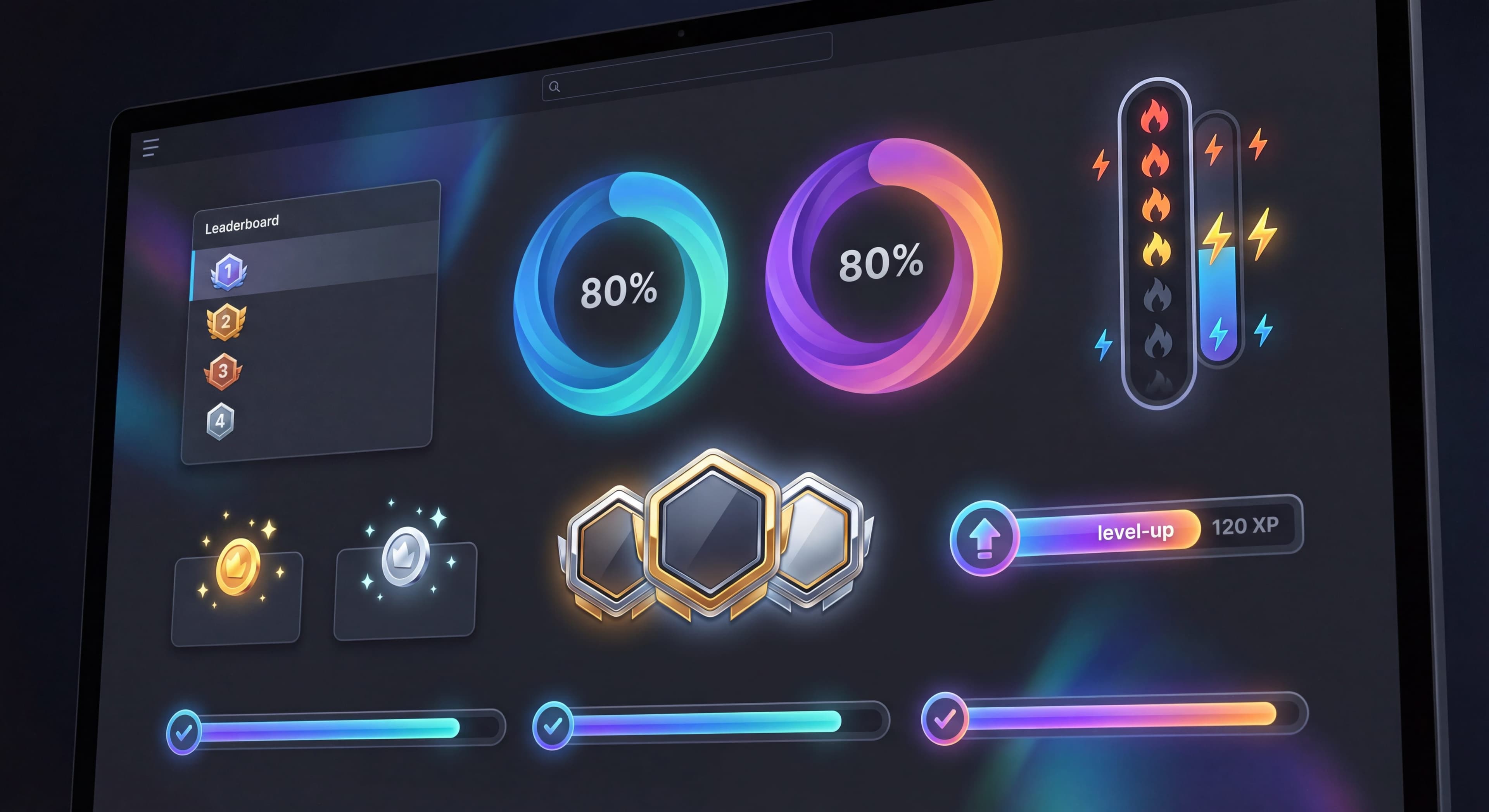

Gamification in onboarding isn't about turning your product into a game. It's about borrowing the psychological principles that make games engaging and applying them to onboarding: progress, achievement, feedback.
When it works, gamification boosts completion rates and makes the experience feel rewarding. When it doesn't, it comes across as patronizing, manipulative, or just distracting from actual product value.
This guide walks through how to apply gamification thoughtfully so it actually helps users succeed.
Users not finishing onboarding?
Create step-by-step guides that give users a clear path to completion and boost engagement with Glitter AI.
What is Gamification?
Gamification takes game-design elements and uses them in non-game contexts to boost engagement and motivation. The idea is to tap into what makes games compelling and apply that to real-world experiences. When done well in onboarding, gamification can turn a dry, step-by-step setup process into something that actually feels rewarding.
In user onboarding, gamification shows up in a few key ways. Progress indicators give users a sense of where they are in the journey and create momentum toward completion. Achievement recognition validates users when they hit important milestones, reinforcing good behaviors with little psychological rewards. Milestone-based rewards create tangible reasons to keep going, while well-designed challenges nudge users to explore features they might skip otherwise. Together, these elements make onboarding feel less like following a manual and more like accomplishing something.
Core Psychological Principles
Gamification onboarding works because it taps into well-established psychological principles. Understanding these helps explain not just why gamification is effective, but how to use it ethically without veering into manipulation.
Progress motivation speaks to something pretty basic in human nature: we like to finish what we start. When people see visible progress toward a goal, especially after they've put in some effort, they feel a strong pull to complete it. Psychologists call this the Zeigarnik Effect. It explains why incomplete tasks stick in our minds more than finished ones or things we never started. Showing users they're 60% done creates a kind of tension that only goes away when they hit 100%. That's not manipulation if the progress is real and completing onboarding actually delivers value.
The achievement need is about recognition and accomplishment. We're wired to care about status and competence. When we finish something meaningful and get recognized for it, our brains give us a little dopamine hit. That positive feeling makes us want to keep going. So when someone earns a badge for "Creating Your First Project," it's more than just a shiny icon. It's creating a reward association that makes them more likely to stay engaged. The trick is making sure achievements recognize things that actually matter, not trivial actions.
Immediate feedback creates tight learning loops that help people pick up new skills faster. Games are great at this. Jump, and your character jumps instantly. Hit something, and you see the impact right away. In onboarding, this means progress bars should update the moment users complete a step. Checkmarks appear immediately. Celebrations trigger right away. This responsiveness makes the experience feel alive instead of static.
The goal gradient effect is the phenomenon where motivation picks up as people get closer to finishing something. Both animals and humans speed up their effort as they near a reward, even when the reward stays the same. In practice, users at 80% completion are more motivated than those at 20%, even if the remaining work is identical. Smart onboarding design uses this by putting easier tasks up front to build momentum, then letting the goal gradient effect carry users through harder steps at the end.
Gamification Elements
Modern onboarding uses a variety of gamification elements, and knowing which ones fit different contexts helps you build approaches that feel natural rather than forced. According to research from Userpilot, companies using gamification techniques see up to 30% higher retention rates compared to traditional onboarding.
Progress elements turn abstract completion status into something visual and concrete. Progress bars show advancement at a glance. Completion percentages appeal to users who want exact numbers. Step counters ("Step 3 of 5") help people gauge how much is left. Checkmarks, color changes, and badges signal current state. These work well because of the endowed progress effect: users who see they've already made some progress are much more likely to finish. LinkedIn increased profile completion by 55% using progress bars onboarding and highlighting missing details.
Achievement badges give users recognition for hitting meaningful milestones. Badges are visual tokens that accumulate over time. Certifications offer more formal recognition that users might share publicly. Titles let users earn status designations. Unlocks gate desirable features behind achievements, creating anticipation. Research shows badges and achievements can boost engagement by 30%, especially when they require real effort. The catch is that a badge only works if it represents something users actually care about.
Reward elements offer tangible benefits for completing onboarding. Points systems give quantifiable progress toward rewards. Credits provide actual monetary value. Extended features unlock premium functionality, making onboarding completion feel strategically valuable. Recognition rewards like profile badges appeal to the desire for social validation. Deloitte's research found their gamified onboarding led to a 40% increase in new hire performance. The key is aligning rewards with actions that genuinely help users, not rewarding trivial tasks.
Social elements add competitive or collaborative dynamics. Leaderboards create competition by ranking users on completion speed or thoroughness, though they can demotivate people who aren't competitive. Team progress lets groups track collective advancement together. Sharing achievements lets users broadcast accomplishments to their networks. Community recognition celebrates individual progress publicly. These elements work best when users have peer connections within the product, like B2B team tools or educational platforms. They can feel artificial in solo consumer apps.
Progress Indicators
Why Progress Works
Progress indicators tap into one of the most powerful psychological drivers we have: the Zeigarnik Effect. Named after psychologist Bluma Zeigarnik, it describes our tendency to remember incomplete tasks better than completed ones. When we start something and see progress, our minds stay engaged until we finish. This creates psychological tension that only completion resolves. In onboarding, simply showing users they're 40% done or have completed 3 of 7 steps creates internal motivation that wouldn't exist otherwise.
The research here is pretty consistent. Tasks with visible progress bars see 20-30% higher completion rates than identical tasks without them. That's not a marginal difference. According to recent research, adding progress bars and checklists can boost completion rates by up to 40%. The logic is simple: when people see concrete evidence of advancement, the remaining work feels more manageable, and finishing feels more achievable. Progress bars turn abstract tasks into visible journeys with clear milestones.
Types of Progress Indicators
Linear Progress Bars:
Simple bar showing completion percentage.
Setup Progress: ████████░░ 80%
Step-Based Progress:
Shows discrete steps completed.
Step 3 of 5: Add your first project
Checklist Progress:
Visual list with completions marked.
- [x] Create account
- [x] Add profile photo
○ Connect email
○ Invite teammate
Circular Progress:
Ring or pie showing completion.
Best Practices for Progress
Start with Progress:
Don't show 0%. Pre-credit account creation or basic setup.
- "You're already 20% complete!" (after signup)
Show Realistic Progress:
Each step should feel proportional to actual effort.
Update Immediately:
Progress should update instantly after each action.
Make It Persistent:
Progress visible throughout onboarding, not just in checklist.
Celebrate Completion:
Mark 100% with celebration, not just disappearance.
Progress Pitfalls
Fake Progress:
Inflating completion percentage artificially.
- Users notice and trust decreases.
Hidden Total:
Showing "Step 3" without showing total steps.
- Uncertainty about how much remains.
Regressing Progress:
Progress that goes backward.
- Frustrating and demotivating.
Achievement Systems
Types of Achievements
Milestone Achievements:
Completing significant onboarding steps.
- "First project created"
- "Profile complete"
- "Invited first teammate"
Skill Achievements:
Demonstrating proficiency.
- "Power user: Used 5 keyboard shortcuts"
- "Integration master: Connected 3 apps"
Exploration Achievements:
Discovering features or areas.
- "Explorer: Visited all main sections"
- "Curious: Tried advanced analytics"
Streak Achievements:
Consistent behavior over time.
- "Week warrior: Active 7 days straight"
- "Consistent: Used daily for 2 weeks"
Achievement Design
Meaningful Names:
Clear, descriptive achievement names.
- Good: "Dashboard Creator"
- Bad: "Achievement #7"
Clear Criteria:
Users should understand how to earn.
- "Complete your first report" vs "Do something good"
Appropriate Difficulty:
Mix of easy early wins and harder goals.
- Early: Achievable in first session
- Later: Require sustained use
Visible Progress:
Show progress toward locked achievements.
- "Template Pro: 2/5 templates created"
When Achievements Work
Early Onboarding:
Quick achievements reward initial engagement.
Feature Discovery:
Achievements for trying new features.
Sustained Use:
Streak achievements for consistency.
Power Use:
Advanced achievements for depth.
Achievement Pitfalls
Too Many:
Overwhelming number dilutes meaning.
Too Easy:
Achievements without challenge feel hollow.
Irrelevant:
Achievements for actions that don't matter.
No Recognition:
Earning achievements with no celebration.
Checklists as Gamification
Why Checklists Work
Checklists combine progress indication with clear next steps.
Psychological Drivers:
- Visual progress toward completion
- Clear actionable items
- Satisfaction of checking off
- Reduced cognitive load
Effective Checklist Design
Optimal Length:
5-7 items maximum. More becomes overwhelming.
Clear Actions:
Each item should be a specific, completable action.
Logical Order:
Items in natural progression order.
Visible Progress:
Show completion count and percentage.
Persistence:
Stay visible until complete (but not intrusive).
Checklist Examples
Basic Checklist:
Getting Started (3/5 complete)
- [x] Create account
- [x] Add profile photo
- [x] Create first project
○ Invite a teammate
○ Connect your calendar
Gamified Checklist:
Setup Progress: 60% Complete! 🏆

- [x] Account created - 10 pts
- [x] Profile added - 15 pts
- [x] First project - 25 pts
○ Team member invited - 30 pts [20 pts bonus if today!]
○ Calendar connected - 20 pts

Your points: 50 → Next reward at 100 pts
Rewards and Incentives
Types of Rewards
Feature Rewards:
Unlock additional functionality.
- "Complete setup to unlock advanced analytics"
- "Earn premium templates for 7-day streak"
Access Rewards:
Extended access or capabilities.
- "Complete onboarding for 7 extra trial days"
- "Finish setup for increased storage"
Recognition Rewards:
Status or visibility.
- Profile badges
- Completion certificates
- Community recognition
Credit Rewards:
Account credits or discounts.
- "Earn $10 credit for completing onboarding"
- "Get 20% off first month with perfect setup score"
When to Use Rewards
High Impact Moments:
Reward completing actions that predict retention.
Friction Points:
Incentivize steps users commonly skip.
Extended Trial:
Reward trial users for setup completion.
Reward Pitfalls
Misaligned Incentives:
Rewarding actions that don't create value.
- Users complete for reward, not benefit.
Unsustainable Rewards:
Expensive rewards that don't make business sense.
Devalued Actions:
Over-rewarding reduces intrinsic motivation.
- Users expect rewards for everything.
When Gamification Works
Processes undocumented?
Create step-by-step SOPs that capture best practices in minutes with Glitter AI.
Good Candidates for Gamification
Complex Onboarding:
Multiple steps benefit from progress tracking.
Discovery-Based Products:
Exploration achievements encourage feature finding.
Habit-Building Products:
Streaks reinforce desired behavior patterns.
Learning-Heavy Products:
Achievement recognition rewards skill development.
Poor Candidates for Gamification
B2B Enterprise:
Professional contexts may find gamification frivolous.
Simple Products:
Little to gamify, feels forced.
Crisis/Urgent Contexts:
Gamification inappropriate when stakes are high.
Skeptical Audiences:
Technical users often reject obvious gamification.
Audience Considerations
Consumer Products:
Generally more receptive to gamification.
Enterprise Products:
Subtler application, focus on progress over achievements.
Technical Users:
May resist obvious gamification, prefer subtle progress.
Non-Technical Users:
Often respond well to encouragement and celebration.
Implementing Gamification
Start Minimal
Phase 1: Progress Only
- Add progress indicators to onboarding
- Simple completion percentage
- Measure impact before adding more
Phase 2: Add Achievements
- 3-5 meaningful achievements
- Clear criteria
- Visible celebration
Phase 3: Consider Rewards
- If justified by business case
- Meaningful, sustainable rewards
- Tied to valuable actions
Design Guidelines
Align with Value:
Gamification should drive actions that create real user value.
Be Authentic:
Match your product's tone and brand.
Avoid Manipulation:
Users should feel motivated, not tricked.
Test Carefully:
Gamification can backfire—measure impact.
Measuring Gamification Impact
Completion Metrics:
- Onboarding completion rate
- Time to complete
- Steps completed
Engagement Metrics:
- Feature adoption after achievements
- Return rate for streak features
- Exploration breadth
Sentiment Metrics:
- User feedback on experience
- Support tickets about gamification
- Qualitative research
Processes undocumented?
Create step-by-step SOPs that capture best practices in minutes with Glitter AI.
Gamification Examples
Duolingo-Style Approach
Elements:
- Daily streaks with high stakes
- XP points for every lesson
- Achievement badges
- Leaderboards
- Streak freezes (rewards)
Why It Works:
Learning languages requires sustained effort; gamification creates commitment.
Lesson for Onboarding:
Works when you need behavior over time, not just setup.
Dropbox-Style Approach
Elements:
- Simple checklist
- Storage space rewards
- Clear completion goal
- Subtle celebration
Why It Works:
Incentivizes setup actions with valuable reward (storage).
Lesson for Onboarding:
Direct value exchange can be more effective than points.
LinkedIn-Style Approach
Elements:
- Profile completeness meter
- "All-Star" status
- Suggestions for improvement
- Professional framing
Why It Works:
Progress toward being "complete" drives action.
Lesson for Onboarding:
Completeness can be a powerful motivator without heavy gamification.
The Line Between Motivation and Manipulation
Signs You've Crossed the Line
Feels Forced:
Users feel compelled rather than motivated.
Distracts from Value:
Gamification takes focus from actual product benefit.
Creates Resentment:
Users feel manipulated or patronized.
Drives Wrong Behavior:
Users game the system rather than engage genuinely.
Staying on the Right Side
Test User Perception:
Ask users how gamification makes them feel.
Focus on Genuine Value:
Ensure gamified actions provide real benefit.
Allow Opt-Out:
Let users skip or minimize gamification.
Respect User Sophistication:
Don't patronize with excessive celebration.
Tool Support for Gamification
Native Capabilities
Most DAPs Offer:
- Progress bars
- Checklists with completion tracking
- Basic celebration animations
Some DAPs Offer:
- Custom achievement systems
- Points tracking
- Reward integrations
Custom Implementation
For advanced gamification:
- Custom tracking systems
- Database for achievements
- API integrations
- Custom UI components
Explaining the same steps repeatedly?
Create step-by-step SOPs that turn complex processes into achievable milestones with Glitter AI.
The Bottom Line
Gamification onboarding works when it makes genuine progress visible and celebrates real achievements. It falls flat when it's just a layer of fake engagement over hollow actions.
Key Principles:
- Making progress visible increases completion
- Achievements should recognize meaningful actions
- Rewards should benefit both the business and the user
- Match gamification intensity to your audience
- Measure impact and pay attention to user sentiment
The best gamification doesn't feel like gamification at all. It just feels like a product that understands progress matters and takes a moment to acknowledge your effort.
Continue learning: Psychology of User Onboarding and Onboarding Checklists.
Frequently Asked Questions
What is gamification in onboarding and why does it work?
Gamification in onboarding applies game-design elements like progress bars, achievements, and rewards to increase user engagement and motivation. It works because it leverages psychological principles including the Zeigarnik Effect (people remember incomplete tasks) and goal gradient effect (motivation increases near completion), leading to 20-30% higher completion rates.
How do progress bars improve onboarding completion rates?
Progress bars create psychological tension to finish through the Zeigarnik Effect, showing users visible advancement toward their goal. Best practices include starting with pre-credited progress (not 0%), updating immediately after each action, and celebrating completion rather than just letting the bar disappear.
What types of achievement badges work best for user onboarding?
Effective onboarding achievements include milestone badges (first project created), skill badges (demonstrating proficiency), exploration badges (discovering features), and streak achievements (consistent daily use). Each should have meaningful names, clear criteria, and appropriate difficulty with a mix of easy early wins and harder goals.
When should you avoid using gamification in onboarding?
Avoid heavy gamification for B2B enterprise products where it may feel frivolous, simple products where gamification feels forced, urgent or crisis contexts where stakes are high, and technical audiences who often reject obvious gamification. These audiences typically respond better to subtle progress indicators rather than badges and points.
How do you measure the impact of gamification on onboarding?
Track completion metrics (onboarding completion rate, time to complete, steps completed), engagement metrics (feature adoption after achievements, return rate for streak features), and sentiment metrics (user feedback, support tickets about gamification). Compare these against baseline measurements before implementing gamification.