Team Onboarding: Getting Entire Organizations Activated
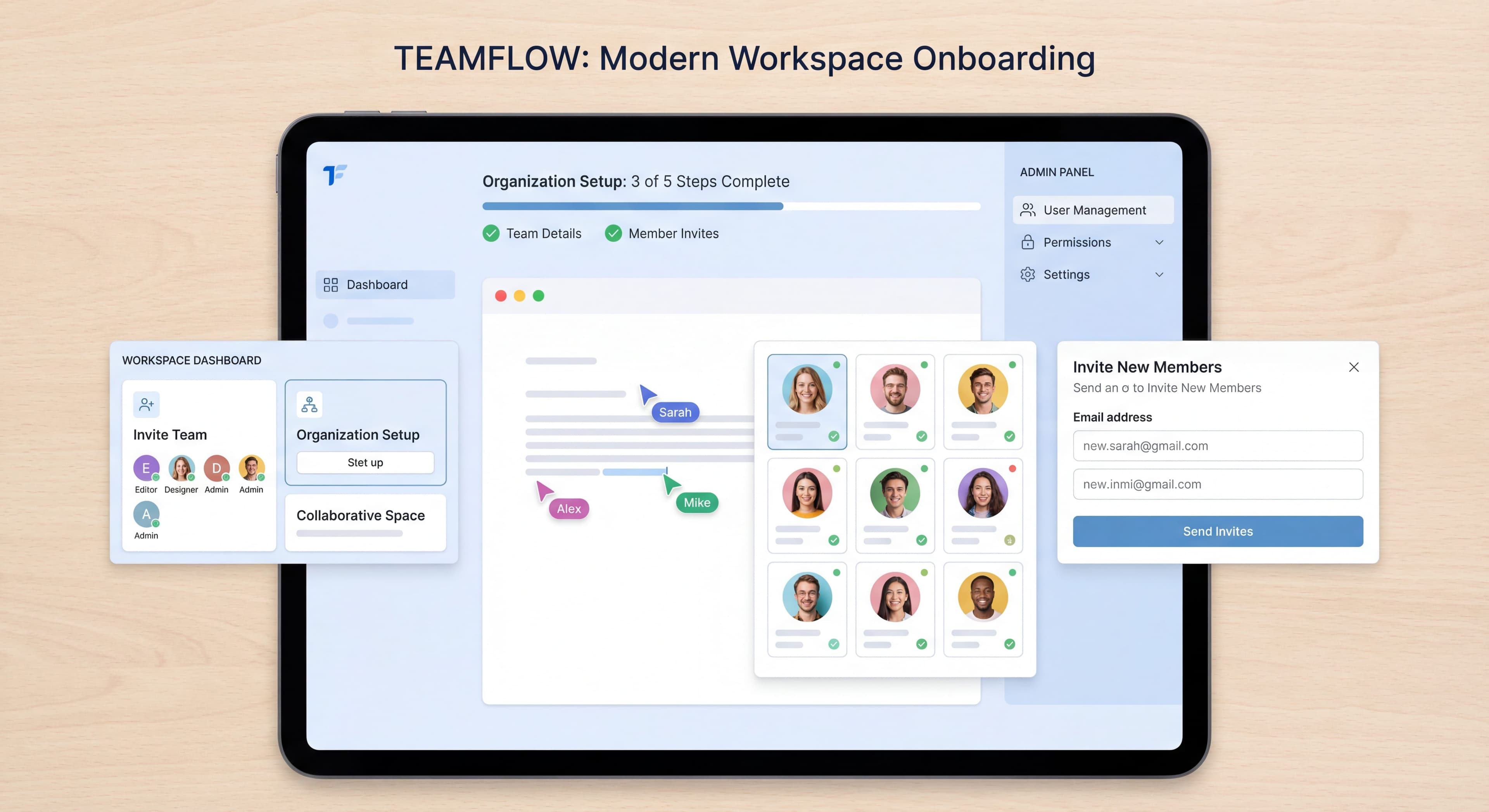

Most onboarding is designed for individuals. But many products are used by teams, and team products work differently. The person who signs up often isn't the one using it most. Adoption requires multiple people to succeed, not just one.
This guide covers how to design onboarding that gets entire teams activated, not just individual users.
Team adoption too slow?
Create step-by-step guides that get entire teams productive faster with Glitter AI.
Team vs Individual Onboarding
Key Differences
| Aspect | Individual | Team |
|---|---|---|
| Success requires | One person | Multiple people |
| Sign-up person | Uses product | May not use daily |
| Activation | User does thing | Team does things together |
| Network effects | None | Value grows with adoption |
| Churn risk | Individual decision | Organizational decision |
Team Product Examples
Inherently Team:
- Slack (communication)
- Notion (collaboration)
- Figma (design)
- Asana (project management)
Team-Enhanced:
- Analytics (shared dashboards)
- CRM (shared contacts)
- Development tools (shared code)
The Multi-User Challenge
Individual products follow a simple path: user signs up, goes through onboarding, either activates or churns. Team products are messier. You're orchestrating multiple users with different roles, motivations, and engagement levels.
The journey gets complex fast. Admin signs up and completes initial onboarding. Admin must invite team members (many don't). Team members must accept invitations (many delay or ignore them). Each member needs their own onboarding (with varying engagement). Finally, the team needs to actually collaborate to hit collective activation.
Activation should be a top-level KPI for team products. Those first user interactions have huge downstream effects on retention, referral, and revenue. Every handoff is a potential failure point. Admin completes signup but never invites anyone. Invitations go to spam or get ignored. Team members accept but don't finish onboarding. Fully onboarded teams never collaborate enough to experience the product's value.
The data is clear: organizations that monitor onboarding data and intervene at failure points see up to 23% higher profitability and 18% better retention. Companies with self-serve revenue score 18% higher on time-to-value delivery. Monday.com reports 65% increased customer satisfaction and 74% improved retention. Figma holds 30% market share in collaborative design, with 85% of organizations reporting better productivity after adopting their collaborative features, leading to 143% net dollar retention among workspace creators.
The Admin-First Model
Why Admin Matters
The admin is your single point of failure. They're the gatekeeper who either enables or blocks team-wide success.
Think about what the admin does: they make the purchase decision, evaluate options, choose you over competitors, often pay personally for the initial subscription. They perform initial setup that determines whether the workspace works for the team. They invite team members (many don't do this effectively, or at all). They configure permissions and settings that shape the team experience. They advocate internally, influencing whether teammates engage enthusiastically or drag their feet.
The admin's experience and advocacy directly shape whether team members embrace or resist your product. If the admin struggles with setup, doesn't experience value, or doesn't understand how to bring the team along, team adoption fails before it starts.
The stakes: A frustrated admin abandons before inviting anyone. You're left with a single-user account for a team product. An admin who onboards successfully but doesn't grasp team value uses it alone without inviting teammates. You miss the network effects your product depends on. Even admins who invite their team but haven't configured things properly or can't articulate value create poor experiences that lead to low engagement and eventual churn.
Admin Onboarding Goals
Admin onboarding has to balance two objectives: help them experience value quickly, and prepare them to enable their team.
Setup success covers the technical foundation. Workspace configuration for team structure, permissions, naming conventions. Integration connections to tools the team already uses. Initial content or data import so the workspace is immediately useful, not empty. Permission settings that balance security with collaboration.
Team enablement prepares admins for their leadership role. Understanding team value so they can explain benefits to skeptical teammates. Knowing how to invite people through email, links, or domain-based auto-join. Planning rollout strategy. Supporting team members when they hit questions or resistance.
Many products focus only on setup and end up with perfectly configured workspaces that sit empty because admins don't know how to bring their teams aboard. Others focus only on team value and end up with admins who understand the vision but can't execute. You need both.
Admin Onboarding Flow
Step 1: Quick Win
Get admin to experience value personally.
Step 2: Team Value
Show what's possible with team.
Step 3: Invite Prompt
Make inviting obvious and easy.
Step 4: Setup Support
Help configure for team use.
Example Flow:
1. "Welcome! Let's create your first [item]" → Personal value
2. "Nice! Now imagine your whole team doing this" → Team vision
3. "Invite your team to collaborate" → Prompt
4. "Let's set up your workspace for your team" → Configuration
Invitation Mechanics
Making Invites Easy
Reduce Friction:
- One-click invite from contacts
- Bulk invite by email
- Domain-based auto-join
- Shareable invite links
Example Implementations:
Email Invite:
Enter team emails: [____________]
[Send Invites]

Or:
[Allow anyone with @company.com to join]
Link Invite:
Share this link with your team:
https://app.example.com/join/abc123
[Copy Link]
Invite Prompts
When to Prompt:
- After first success
- During workspace setup
- When collaboration is needed
- As part of checklist
Effective Copy:
- "Projects are better with teammates. Add your team?"
- "Who else should see this?"
- "Your team is waiting—invite them to join"
Tracking Invites
Metrics:
- Invites sent per account
- Invite acceptance rate
- Time to first invite
- Team size distribution
Team Member Onboarding
The Invited Experience
Different Context:
Invited users have different needs than sign-up users:
- Already know why they're here (someone invited them)
- May not understand value yet
- Need context from inviter
- Different permissions typically
Personalizing Invite Experience
Include Context:
"[Admin Name] invited you to join [Workspace Name]"
"[Admin Name] wants you to collaborate on [Project Name]"
Pass Along Intent:
When admin invites, capture why:
Invite message: "[Custom message from admin]"
Or: "[Admin] is using [Product] for [use case]"
Team Member Flow
Step 1: Accept Invite
Clear, simple acceptance.
Step 2: Account Setup
Minimal—name, password (or SSO).
Step 3: Context
What workspace are they joining? What's their role?
Step 4: Quick Orientation
Brief intro to what they can do.
Step 5: First Action
Guided to relevant first task.
Role-Differentiated Onboarding
Admin vs Member:
Admin sees:
- Workspace settings
- Billing management
- User management
- Full configuration

Member sees:
- Their workspace
- Collaboration features
- Tasks and content
- Personal settings
Different Roles, Different Paths:
Sales Team:
- CRM features
- Deal tracking
- Contact management

Marketing Team:
- Campaign features
- Content creation
- Analytics

Developers:
- API access
- Technical features
- Integration setup
Collaborative Activation
Defining Team Activation
Individual Activation:
User completed [key action].
Team Activation:
Team accomplished [collaborative outcome].
Examples:
| Product | Individual Activation | Team Activation |
|---|---|---|
| Slack | Sent message | Team exchanged 10+ messages |
| Asana | Created task | Team completed project |
| Figma | Created design | Team collaborated on design |
| Notion | Created page | Team uses shared workspace |
Designing for Collaboration
Built-in Collaboration:
Features that require or benefit from multiple users.
Examples:
- @mentions that notify teammates
- Shared dashboards everyone uses
- Comments and feedback loops
- Assignments to team members
Onboarding Collaboration Hooks
Prompt Collaborative Actions:
- "Assign this to a teammate"
- "Share this with your team"
- "Get feedback from [teammate]"
- "See what your team is working on"
Team Adoption Patterns
Training taking too long?
Create step-by-step guides that get users productive faster with Glitter AI.
The Champion Model
One Person Drives Adoption:
Champion signs up → Champion convinces team →
Champion trains team → Champion supports adoption
Onboarding Support:
- Advanced champion training
- Sharing/pitch materials
- Team admin tools
- Success metrics to share
The Viral Model
Usage Spreads Organically:
User A uses → Shares with User B →
User B uses → Shares with Users C, D →
Organic growth
Onboarding Support:
- Easy sharing from product
- Clear value for recipients
- Low barrier to join
- Natural collaboration points
The Top-Down Model
Leadership Mandates Adoption:
Executive decision → IT implementation →
Mandatory rollout → Users comply
Onboarding Support:
- Enterprise deployment guides
- Admin training
- Compliance features
- Reporting for leadership
Team Size Considerations
Small Teams (2-10)
Characteristics:
- High touch possible
- Personal relationships
- Flexible processes
Onboarding Approach:
- Personal onboarding
- Group training
- Champion-driven
- Direct support
Medium Teams (10-50)
Characteristics:
- Some structure needed
- Departmental dynamics
- Mixed sophistication
Onboarding Approach:
- Role-based paths
- Self-serve primary
- Champion program
- Scaled training
Large Teams (50+)
Characteristics:
- Formal processes
- Change management
- IT involvement
- Diverse needs
Onboarding Approach:
- Enterprise onboarding
- LMS integration
- Phased rollout
- Organizational change
Measuring Team Success
Team-Level Metrics
Adoption:
- Team members invited
- Team members active
- Team adoption rate (active/invited)
- Time to team activation
Engagement:
- Collaborative actions
- Cross-user interactions
- Team feature usage
- Shared content creation
Health:
- Team retention
- Feature adoption by team
- Team satisfaction (NPS)
- Support usage
Cohort Analysis
Track Teams, Not Just Users:
Team Cohort: January 2026
- Teams signed up: 100
- Teams with 3+ members: 70
- Teams activated: 45
- Teams retained (90 days): 38
Warning Signs
Unhealthy Team Patterns:
- Only admin active
- No collaboration
- Declining team engagement
- Members leaving workspace
Intervention Triggers:
- Team inactive for X days
- No invites sent
- Single-user team
- Negative engagement trend
Training taking too long?
Create step-by-step guides that get users productive faster with Glitter AI.
Common Team Onboarding Mistakes
Mistake 1: Individual-Only Focus
Problem: Onboarding designed for individuals, ignoring team dynamics.
Fix: Design for team success from the start.
Mistake 2: Admin Abandonment
Problem: Admin onboarded but left to figure out team rollout alone.
Fix: Include team enablement in admin onboarding.
Mistake 3: Invite Friction
Problem: Inviting teammates is complicated.
Fix: Make invites one-click simple.
Mistake 4: Generic Member Experience
Problem: All team members get same onboarding regardless of role.
Fix: Role-based onboarding paths.
Mistake 5: No Team Metrics
Problem: Only track individual metrics, miss team health.
Fix: Add team-level analytics.
Team Onboarding Checklist
For Admins
Immediate:
- Account created
- First value experienced
- Workspace configured
- First invite sent
First Week:
- Team invited
- Basic setup complete
- Integrations connected
- Permissions configured
First Month:
- Team active
- Key workflows established
- Processes documented
- Success metrics met
For Team Members
Immediate:
- Invite accepted
- Account setup
- Context understood
- First action completed
First Week:
- Core features learned
- Team interactions started
- Daily use established
- Questions resolved
First Month:
- Proficiency achieved
- Regular collaboration
- Advanced features explored
- Value recognized
Team members asking same questions?
Create step-by-step guides that answer common onboarding questions before they get asked with Glitter AI.
The Bottom Line
Team onboarding succeeds when you design for collective success, not individual adoption. The admin experience, invitation mechanics, and collaborative activation matter just as much as individual user flows.
What matters:
- Admin success enables team success
- Make inviting frictionless
- Differentiate by role
- Measure team health, not just user counts
- Design for collaboration
The goal isn't individual users who happen to be on teams. It's teams that succeed together using your product.
Continue learning: Enterprise Onboarding and Viral Loops.
Frequently Asked Questions
How is team onboarding different from individual user onboarding?
Team onboarding requires multiple people to succeed, not just one. The signup person may not use the product daily, activation requires collaborative actions, and churn becomes an organizational decision. Success depends on admin setup, frictionless invitations, and team-wide adoption.
How do I onboard team members who receive invitations?
Invited users have different needs than signups. Include context from the inviter, minimize account setup steps, explain their role in the workspace, provide quick orientation to relevant features, and guide them to a collaborative first action with their team.
What makes workspace onboarding successful for organizations?
Admin success enables team success. Focus on quick wins for the admin first, then show team value, make inviting frictionless with bulk email or shareable links, configure appropriate permissions, and track team-level metrics like adoption rate and collaborative actions.
How do I measure team onboarding success?
Track team-level metrics: members invited vs active, team adoption rate, time to team activation, collaborative actions across users, and team retention. Analyze cohorts by team, watch for warning signs like only admin active or no collaboration, and set intervention triggers.
What are the best practices for role-differentiated onboarding?
Create different onboarding paths based on role and permissions. Admins see workspace settings, billing, and user management. Regular members see collaboration features and personal tasks. Further segment by function (sales, marketing, developers) to show relevant features first.