Enterprise Onboarding: Scaling to Complex Organizations
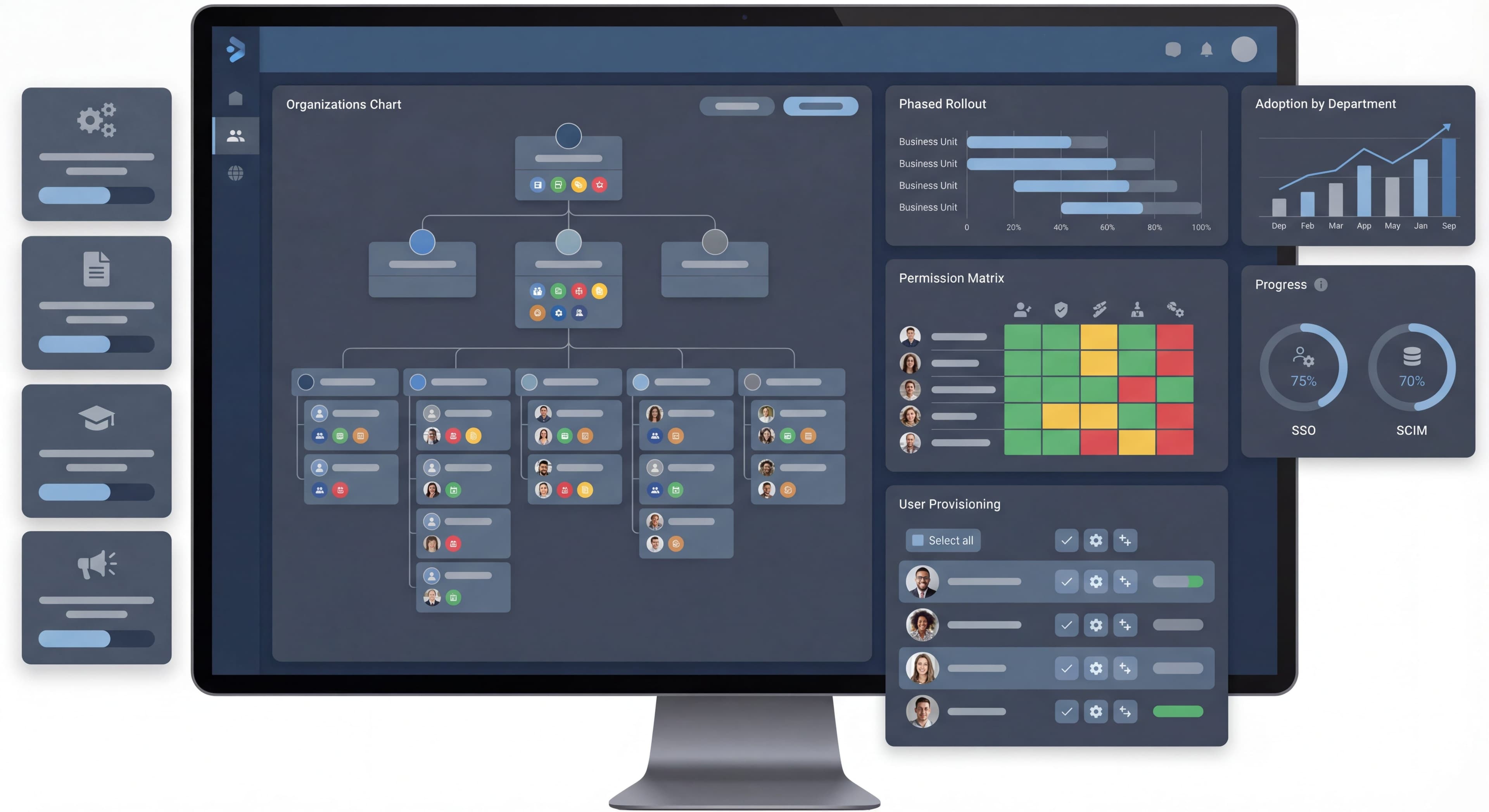

Enterprise onboarding is a different animal entirely from SMB or consumer onboarding. You're dealing with multiple stakeholders who all want different things, approval processes that seem to go on forever, change management headaches, and the inevitable office politics. A few tooltips and a checklist aren't going to cut it here.
This guide digs into how to design onboarding that actually works when you're facing enterprise-level complexity.
Training thousands of users?
Create step-by-step guides that scale your onboarding across departments and geographies with Glitter AI.
What Makes Enterprise Different
Scale and Complexity
Enterprise deployments flip the script on what onboarding even means. When you're rolling out to anywhere from 500 to 50,000 users spread across departments, geographies, and business units, everything gets harder. SMB onboarding usually involves 1-50 users where you can still give personal attention. Mid-market sits at 50-500 users and needs some automation. But enterprise? That requires a totally different playbook because you simply can't give individual attention to thousands of people.
This scale changes everything. You can't offer hands-on support to everyone simultaneously, so your onboarding has to work for self-service from day one. Training materials need to scale and actually help people without someone holding their hand through every step. That means investing in solid documentation, video libraries, and automated guidance. And here's the thing that catches many teams off guard: at enterprise scale, you're not just teaching people to use software. You're orchestrating organizational change that touches workflows, processes, and habits that have been in place for years. Research shows 63% of customers consider onboarding a deciding factor when subscribing to SaaS services, which makes this initial period make-or-break for retention and expansion.
Multiple Stakeholders
Enterprise onboarding has to keep a lot of different people happy at the same time, and those people often want contradictory things. In SMB deals, one person usually makes the purchase decision and also uses the product. Enterprise is nothing like that. You'll typically have five or more stakeholder groups, each with the power to tank the implementation if they're unhappy. The executive sponsor mainly cares about ROI and whether this aligns with business strategy. They want to see cost savings or revenue growth. IT administrators obsess over security, how hard the integrations will be, and operational stuff like uptime and compliance. They tend to see new software as risk to manage rather than opportunity to seize.
Front-line managers want to know if their teams will actually be more productive. They're watching adoption rates and workflow efficiency. End users, the people who have to use this thing every day, just want to know if it'll make their jobs easier or harder. They measure success by whether tasks take less time and cause less frustration. Then there are change management folks who own the rollout's success and track adoption rates and sentiment to see if the transformation is actually sticking. Every one of these groups needs onboarding that speaks to their specific concerns and shows value through metrics they care about. If any single group feels ignored, they can derail everything, no matter how good your product is.
Decision Complexity
Enterprise decision-making adds layers of complexity that change how you have to think about onboarding entirely. In SMB, one person usually makes the purchase decision and then starts using the product. Simple. Enterprise flips this on its head. The buyer is almost never the user, which creates a gap between why something was purchased and whether it actually gets adopted day-to-day. Committee decisions mean multiple people with different agendas have to agree before anything can move forward, often resulting in compromises that leave everyone partially unsatisfied.
Procurement shows up with standardized evaluation criteria, contract templates, and approval workflows that can add months to your timeline regardless of how urgently teams need the solution. Security reviews examine data handling, infrastructure requirements, and integration points, often surfacing concerns that require responses, documentation updates, or architectural changes. Legal needs to assess risk, negotiate terms, and verify compliance certifications that might not exist in your standard materials. All of this means enterprise onboarding actually starts well before the contract is signed. You have to onboard the buying committee to your value proposition and implementation approach during sales. Companies that get this right recognize the extended timeline and start educating stakeholders, setting expectations, and building relationships during pre-sales instead of waiting for contract signature.
Deployment Timelines
Enterprise timelines look nothing like SMB. An SMB user signs up and starts using a product within minutes, getting instant gratification that validates their decision. Enterprise deployments unfold over months, sometimes years, following carefully planned sequences meant to minimize risk and make sure the organization is actually ready. You go from contract signature to detailed implementation planning, where technical requirements, success criteria, and resource allocation get documented in formal project plans with Gantt charts and milestone tracking.
Then comes the pilot phase, where you launch to a carefully selected group of users in a controlled environment. The goal is to find and fix problems before broader exposure damages your product's reputation inside the organization. Phased rollouts expand access gradually, maybe department by department or geography by geography, with each wave building on lessons from earlier ones. This also keeps support resources from getting overwhelmed by thousands of new users all at once. The extended timeline turns onboarding from a sprint into a marathon. You need sustained engagement strategies, long-term relationship management, and patience while value builds slowly. Organizations that don't plan for this often celebrate too early after the pilot, then watch the broader rollout struggle because nobody laid the groundwork for real organizational change.
Enterprise Onboarding Architecture
Multi-Track Approach
Good enterprise onboarding runs multiple workstreams in parallel that stay coordinated at key integration points. If you treat it as one linear sequence, you'll create bottlenecks where technical setup blocks business configuration, which blocks training, leading to blown timelines and frustrated stakeholders. The multi-track approach acknowledges that different activities can happen simultaneously when properly managed, which compresses implementation timelines while making sure nothing important gets overlooked.
Track 1 handles admin and technical setup, the infrastructure foundation everything else depends on. This includes integration configuration with existing systems, SSO implementation, security settings to satisfy IT, data migration from legacy systems, and API configuration. These technical activities involve IT teams and platform administrators working with your implementation specialists to make the platform fit cleanly into the existing technical ecosystem. This track often becomes the critical path because technical complexity introduces unexpected delays. Discovering that the SSO provider needs custom configuration or that data migration reveals quality issues in legacy systems can blow up timelines if you don't catch it early.
Track 2 covers business configuration, translating organizational requirements into platform settings that match how the company actually works. This means setting up workflows that mirror business processes, configuring custom fields for organization-specific data, building permission structures that reflect hierarchies and data access policies, creating templates for common use cases, and setting up automation rules. This track needs close collaboration between your implementation team and the customer's business process owners. Organizations consistently underestimate the time needed here because it involves organizational decision-making about how work should flow. That often surfaces disagreements about processes that got papered over in legacy systems.
Track 3 focuses on user training so end users have the knowledge and skills to actually get value from the platform. This includes role-based training for different personas, feature education, workflow adoption guidance showing how the platform fits daily routines, and sharing best practices from other implementations. This track has to scale to potentially thousands of users while staying effective, usually requiring a mix of live training for key users, recorded content for self-paced learning, and in-app guidance for just-in-time help. Timing matters here too. Train too early and people forget before launch. Train too late and people are unprepared when they need to start using the platform.
Track 4 is change management, and it recognizes that enterprise onboarding is really about organizational transformation, not just software deployment. Getting 20 people to use a new tool can happen with a couple of emails. Getting 2,000 people to adopt something takes a full change management program. This track handles communication plans that keep stakeholders informed, champion programs that create peer advocates throughout the organization, feedback loops so user concerns get heard and addressed, and success metrics that show value to different stakeholder groups. Companies that skip this track often end up with technically successful implementations that fail to deliver business results because users resist adoption or quietly go back to their old tools.
Phased Rollout
Phase 1: Core Team (Week 1-2)
- Implementation team
- Admins
- Power users
- Champions

Phase 2: Pilot Group (Week 3-6)
- One department/team
- Controlled environment
- Feedback collection
- Iteration

Phase 3: Broader Rollout (Week 7-12)
- Department by department
- Lessons from pilot
- Refined training

Phase 4: Full Deployment (Week 13+)
- All users
- Ongoing support
- Optimization
Role-Based Onboarding
Admin Onboarding
Focus:
System configuration, security, integration.
Key Content:
- Initial setup wizard
- Security configuration
- Integration setup
- User management
- Permissions configuration
- Monitoring and reporting
Format:
- Detailed documentation
- Video walkthroughs
- Live implementation support
- Technical office hours
Success Metrics:
- Setup completion
- Integration success
- Security compliance
- User provisioning
Manager Onboarding
Focus:
Team enablement, reporting, workflow design.
Key Content:
- Team workspace setup
- Workflow configuration
- Reporting dashboards
- Team management features
- Best practices
Format:
- Manager-specific training
- Template library
- Use case guides
- Success playbooks
Success Metrics:
- Team adoption rate
- Feature utilization
- Goal achievement
End User Onboarding
Focus:
Daily tasks, core workflows, productivity.
Key Content:
- Basic navigation
- Core workflows
- Daily tasks
- Getting help
- Tips and shortcuts
Format:
- In-app guidance
- Quick start guides
- Video tutorials
- Role-specific paths
Success Metrics:
- Task completion
- Feature adoption
- User satisfaction
Change Management Integration
Why It Matters
Enterprise tools disrupt existing workflows, challenge habits people have built over years, and threaten the comfortable familiarity of legacy systems. Without change management built into onboarding, even superior solutions run into fierce resistance from users who see more risk than reward in adopting something new. This resistance follows predictable patterns that can kill implementations regardless of executive sponsorship.
Users defending legacy systems claim the old tool worked fine, conveniently forgetting the pain points that drove the search for something better in the first place. People have a remarkable capacity for nostalgia when facing a learning curve. Time scarcity is another common objection. Busy people calculate the immediate cost of learning against uncertain future benefits and default to the status quo when mental bandwidth feels limited. Many users see new software rollouts as something forced on them by distant executives who never asked frontline workers what they actually need. That creates resentment before training even starts. And many workers believe leadership doesn't understand their unique requirements, so they assume the new platform won't handle the special cases and exceptions that define their daily work. Good change management tackles each of these resistance patterns directly, using structured approaches that turn skeptics into advocates by making the case for change compelling, personal, and achievable.
Change Management Framework
The ADKAR model offers a tested framework for guiding people through organizational change, making sure onboarding addresses the psychological and behavioral stuff, not just technical training. Awareness is the first step. Users need to understand why this change is happening before they'll invest any energy in learning what's changing. That means being transparent about business drivers, market pressures, or strategic reasons that make new approaches necessary. Just announcing a new tool without context breeds confusion and conspiracy theories. Explaining the strategic rationale shows respect for users' intelligence and creates shared understanding of why this matters.
Desire comes next, and it addresses the question everyone is silently asking: what's in it for me? People won't genuinely engage with change until they see personal benefits that outweigh personal costs. Good onboarding highlights role-specific advantages. Show salespeople how the platform helps close deals faster. Show customer service how it eliminates frustrating manual work. Show managers the visibility they couldn't get before. Generic benefits like "company efficiency" rarely motivate individual behavior change. Personal productivity gains, less frustration, or career advancement opportunities create real desire.
Knowledge and ability are where traditional onboarding focuses, teaching users how to operate the system and making sure they can apply that knowledge in real situations. Knowledge transfer happens through documentation, training, and guided experiences. Ability develops through hands-on practice, experimentation in safe environments, and gradually increasing complexity. Many programs stop here, assuming knowledge and ability guarantee adoption. But that ignores the final piece.
Reinforcement keeps change going over time by celebrating wins, addressing setbacks, and continuously showing the value that justifies the disruption people experienced. Without reinforcement, users drift back to old habits when they hit obstacles or when change leaders move their attention elsewhere. Good reinforcement includes regular communication about wins, recognition programs for successful adopters, ongoing training for advanced capabilities, and visible commitment from leadership through their own continued use.
Integrating Onboarding with Change Management
Before Launch:
- Executive communication
- "Why change" messaging
- Preview sessions
- Champion recruitment
At Launch:
- Clear expectations
- Multiple training options
- Support resources
- Feedback channels
After Launch:
- Progress tracking
- Success stories
- Continuous training
- Celebration of wins
Champion Programs
What Champions Do
Champion programs tap into the most powerful force in organizational change: peer influence. Executive mandates and formal training have their place, but nothing drives adoption like watching a respected colleague use new tools successfully and enthusiastically vouch for the benefits. Champions are internal advocates who've moved past mere adoption to genuine enthusiasm. They transform from passive users into active promoters who voluntarily spend their own time and credibility helping others succeed. These people embrace new capabilities before the broader organization does, providing feedback and finding issues while tolerance for problems is still high during early rollout.
Beyond early adoption, champions become peer trainers who deliver training that's more credible and relatable than anything vendor reps can offer. When someone from the same department, dealing with the same constraints and speaking the same organizational language, explains how the platform solved a problem, skeptical users actually listen. They wouldn't engage the same way with a polished vendor presentation. Champions also gather feedback from across the organization, surfacing concerns, questions, and suggestions that never make it to formal support channels. They hear the complaints in hallway conversations and team discussions. Finally, champions act as success ambassadors who celebrate wins, share tips, and keep momentum going during that challenging middle phase when initial excitement has faded but results haven't fully materialized yet.
Building a Champion Program
Recruiting champions requires finding people who combine enthusiasm, influence, and availability. The ideal champion isn't necessarily the most senior person or the most technical user. Look instead for people who naturally help colleagues, show genuine excitement about improving processes, and command respect through competence and approachability. Users who already see value in the platform make natural champions because their advocacy comes from real experience, not obligation. Make sure you get diverse representation across departments, seniority levels, and roles so the program doesn't look like an initiative by and for a single group. And get manager buy-in so champions actually have protected time and recognition for the extra work.
Champion training goes well beyond standard user education. Champions need advanced product knowledge that positions them as real experts, not just slightly-ahead peers. They need train-the-trainer skills covering how adults learn, presentation techniques, and how to adapt explanations for different learning styles and technical comfort levels. Communication training helps them articulate value propositions persuasively, handle objections constructively, and escalate complex issues appropriately instead of guessing. They also need structured approaches to feedback collection, understanding what to gather, how to document it, and when to escalate to implementation teams or vendors.
Support infrastructure determines whether champion programs thrive or quietly fade when volunteers get discouraged by lack of resources or recognition. Regular sync meetings between champions and program leaders create communities where champions share experiences, work through common challenges together, and feel connected to something bigger than their individual efforts. Direct vendor access gives champions escalation paths for technical questions and signals that their role matters. Resource sharing provides presentation templates, training materials, quick reference guides, and demo environments so champions don't have to create everything from scratch. Recognition programs celebrate champion contributions publicly through executive acknowledgment, rewards, or perks like early feature access.
Structure champion activities clearly while leaving room for individual approaches and organizational culture. Peer training sessions are the most visible activity, with champions running workshops for their teams, demonstrating workflows, answering questions, and providing hands-on help. Office hours create regular times when colleagues can get help, making champions approachable without demanding constant availability. Content creation extends impact beyond live interactions. Champions can record video walkthroughs, write tips in collaboration tools, or curate FAQ documents that support ongoing onboarding. Success advocacy rounds things out, with champions promoting wins, encouraging reluctant adopters, and keeping energy positive even when implementations hit inevitable bumps.
Champion Metrics
Measuring champion program success means tracking both quantitative outputs and qualitative impact. The number of peers trained gives you a straightforward volume metric showing how many employees benefited from champion-led education, though it doesn't capture training quality. Comparing adoption rates in areas with champions versus areas without reveals whether champions actually accelerate or deepen platform usage, providing ROI evidence that justifies continued investment. Feedback quality from champions, measured by actionability and specificity and whether it actually improves the product, shows whether champions are surfacing valuable insights or just generating noise. Peer satisfaction with champion-led training, measured through surveys or informal feedback, indicates whether this approach delivers better learning experiences than vendor training or self-service materials.
Training Strategies
Blended Learning
Components:
- Self-Paced Digital:
- In-app tours
- Video library
- Documentation
- Interactive modules
- Live Training:
- Webinars
- In-person sessions
- Role-specific workshops
- Q&A sessions
- On-Demand Support:
- Resource center
- Chatbot assistance
- Support tickets
- Community forum
Training Formats
By Learning Style:
| Format | Best For | Limitations |
|---|---|---|
| Video | Visual learners, overviews | Not interactive |
| In-app tours | Contextual learning | Limited depth |
| Documentation | Reference, detail | Can be overwhelming |
| Live training | Questions, complex topics | Scheduling challenges |
| Hands-on labs | Skill building | Resource intensive |
Processes undocumented?
Create step-by-step SOPs that capture best practices in minutes with Glitter AI.
Role-Specific Training Matrix
             | Admin | Manager | User |
─────────────┼───────┼─────────┼──────┤
Live setup   |   ✓   |         |      |
Admin guide  |   ✓   |         |      |
Manager train|       |    ✓    |      |
Team guide   |       |    ✓    |      |
In-app tours |       |    ✓    |  ✓   |
Quick start  |       |         |  ✓   |
Integration with Enterprise Systems
SSO/Identity
Onboarding Considerations:
- Provisioning automation
- Group-based access
- De-provisioning
- Role mapping
Implementation:
Identity Provider → SCIM → Product
- User created → Onboarding triggered
- Role assigned → Appropriate path selected
- User removed → Access revoked
Learning Management Systems (LMS)
Integration Benefits:
- Track completion
- Compliance reporting
- Certificate generation
- Training history
Common Integrations:
- SCORM content in LMS
- Completion webhooks
- Progress sync
- Assignment management
Communication Platforms
Slack/Teams Integration:
- Onboarding nudges
- Progress sharing
- Support access
- Celebration messages
Measuring Enterprise Onboarding
Implementation Metrics
Technical Success:
- Integration completion
- Setup time
- Configuration accuracy
- Data migration success
Business Success:
- Go-live on schedule
- Stakeholder satisfaction
- Initial adoption
- Issue resolution
Adoption Metrics
Volume:
- Users onboarded
- Active users
- Feature usage
Quality:
- Training completion
- Time to proficiency
- Support ticket volume
- User satisfaction
Business Impact
Outcomes:
- Productivity improvement
- Process efficiency
- Cost savings
- Strategic objectives
ROI Tracking:
Investment:
- License cost
- Implementation cost
- Training cost

Return:
- Time saved
- Error reduction
- Revenue impact
- Cost avoidance
Processes undocumented?
Create step-by-step SOPs that capture best practices in minutes with Glitter AI.
Common Enterprise Challenges
Challenge 1: Stakeholder Misalignment
Stakeholder misalignment might be the most insidious challenge in enterprise onboarding. Different groups have fundamentally different definitions of success, so implementations can satisfy some stakeholders while disappointing others. The executive sponsor evaluates success through business outcomes and ROI. IT cares about security compliance and system stability. End users care about whether their daily workflows improve. Change managers track adoption rates and sentiment. Without explicit alignment on what success means and how to handle trade-offs when priorities conflict, implementations drift as each group pulls in their own direction.
Solving this requires establishing joint success criteria during planning, making sure all stakeholder groups contribute to and commit to a shared definition of what successful implementation looks like. Regular alignment meetings throughout implementation surface conflicts early when you can still address them, rather than discovering misalignment at go-live when options are limited. Executive sponsor involvement becomes critical when stakeholder conflicts need authoritative resolution or resource decisions that cross departmental boundaries. Clear escalation paths document how decisions get made when alignment breaks down, preventing implementations from stalling while stakeholders go in circles without anyone having authority to decide.
Challenge 2: Pilot Doesn't Scale
Many enterprise implementations nail the pilot and then fall apart during broader rollout, creating disillusionment that undermines future adoption efforts. Pilots often succeed through heroic efforts from vendors and internal champions providing white-glove support that can't possibly scale to thousands of users. Or pilots succeed with unusually motivated user groups whose enthusiasm and technical sophistication don't represent the broader workforce. When those special conditions vanish during scaling, adoption tanks and stakeholders wonder if pilot results were ever real or just carefully staged.
Fixing this starts with designing diverse pilot groups that actually represent the full range of users who'll eventually adopt, including skeptics, people with low technical skills, and employees working with constraints. Don't stack pilots with enthusiastic early adopters. Develop and test scalable training approaches during pilots rather than relying on high-touch support that won't exist at scale. Stress-test systems, support processes, and content under realistic load, not optimistic assumptions. Document and resource the change management practices that worked in pilots so you can scale them, rather than assuming broader rollouts somehow need less change management.
Challenge 3: Admin Bottleneck
Having only a few trained administrators creates bottlenecks when hundreds or thousands of users need configuration changes, customizations, or help beyond what documentation covers. Users end up waiting days or weeks for simple changes that block their work. The problem compounds as organizations scale because admin workload grows faster than admin headcount, creating a vicious cycle where administrators spend all their time on routine requests instead of strategic work or training new admins.
Solving this requires aggressive implementation of self-service capabilities wherever possible, letting users configure their own workspaces, adjust settings, and access common resources without admin intervention. Delegated administration distributes certain capabilities to power users or department leads, creating semi-administrators who can handle routine requests within their groups without escalating to central IT. Clear request processes with documented SLAs manage expectations about turnaround times while helping administrators prioritize. And train multiple people on admin functions rather than concentrating expertise in one or two individuals whose departure would cause a crisis.
Challenge 4: User Resistance
Users resist new platforms even when the tools are objectively better than legacy systems. Humans are loss-averse. We overweight the certain pain of learning against uncertain future gains. This resistance shows up as passive non-adoption where users just keep using old tools, active sabotage where users vocally criticize the new platform and discourage colleagues from adopting, or malicious compliance where users technically use the new system but in ways designed to prove it doesn't work. Without addressing the psychological and social dimensions of resistance, technically perfect implementations fail to deliver business results.
Solving this requires change management that addresses resistance at its roots through clear communication about why change is necessary and what happens if the organization doesn't evolve. Value propositions need to be articulated in role-specific terms so users understand personal benefits, not just abstract organizational gains. Manager involvement is critical because frontline managers set the cultural tone for their teams. If managers demonstrate genuine adoption and enthusiasm, teams follow. If managers are skeptical or indifferent, even the best training programs get undermined. Delivering quick wins early, solving painful problems users face daily, builds credibility and goodwill that sustains adoption through inevitable rough patches.
Challenge 5: Ongoing Adoption
Adoption spikes during implementation when training is fresh, support is plentiful, and everyone's paying attention. Then it decays over the following months as users slip back to old habits, new employees join without proper onboarding, and organizational attention shifts elsewhere. This creates implementations that look successful at 30-day reviews but have failed by 180-day retrospectives, wasting investment and making future transformation initiatives harder to sell.
The fix is treating adoption as an ongoing practice rather than a launch event. Continuous engagement programs maintain awareness and reinforce value after initial implementation ends. Usage monitoring spots declining engagement before it becomes a crisis, enabling proactive intervention with at-risk groups or individuals. Success reinforcement through regular communication about wins, recognition of effective users, and visible executive commitment keeps momentum going when initial enthusiasm fades. Introducing new features methodically rather than dumping everything at once creates recurring moments of discovery and value that keep the platform feeling fresh and increasingly useful over time.
Enterprise Tool Selection
Requirements
Must-Have for Enterprise:
- SSO/SAML support
- Role-based access
- Multi-language
- API access
- Compliance certifications
- SLA guarantees
- Dedicated support
Nice-to-Have:
- SCIM provisioning
- Custom branding
- On-premise option
- Advanced analytics
- Sandbox environment
- Custom integrations
Vendor Evaluation
Questions:
- What's your enterprise customer base?
- Largest deployment?
- Implementation support?
- SLA terms?
- Security certifications?
- Customization options?
- Pricing model at scale?
Enterprise-Ready Tools
| Tool | Enterprise Fit | Notes |
|---|---|---|
| WalkMe | ✓✓✓ | Enterprise-focused |
| Whatfix | ✓✓✓ | Strong enterprise features |
| Pendo | ✓✓ | Growing enterprise presence |
| Userpilot | ✓✓ | Mid-market to enterprise |
| Appcues | ✓ | SMB to mid-market |
Implementation Best Practices
Planning
Pre-Implementation:
- Stakeholder identification
- Success criteria definition
- Timeline agreement
- Resource allocation
- Risk identification
Execution
Implementation:
- Phased approach
- Regular checkpoints
- Issue tracking
- Scope management
- Communication cadence
Post-Launch
After Go-Live:
- Hypercare period
- Adoption monitoring
- Feedback collection
- Optimization
- Success measurement
Rollout communication scattered?
Create step-by-step guides that keep all stakeholders aligned on change management milestones with Glitter AI.
The Bottom Line
Enterprise onboarding is fundamentally about organizational change, not product education. Getting it right means addressing multiple stakeholders, integrating with existing systems, and sustaining adoption over time.
Key Principles:
- Design for multiple roles with different needs
- Weave change management throughout
- Build champion programs for peer influence
- Plan for scale from day one
- Measure business outcomes, not just usage
The best enterprise onboarding treats the organization as the customer, not just the individual users.
Continue learning: B2B SaaS Onboarding and Team Onboarding.
Frequently Asked Questions
What makes enterprise onboarding different from SMB onboarding?
Enterprise onboarding involves multiple stakeholders with different priorities, complex approval processes, change management requirements, longer deployment timelines (months vs minutes), and organizational politics. Success requires addressing the organization as a customer, not just individual users.
What is a multi-track approach to enterprise software onboarding?
A multi-track approach runs parallel workstreams: Track 1 handles admin/technical setup (integrations, SSO, security), Track 2 covers business configuration (workflows, permissions), Track 3 delivers user training, and Track 4 manages organizational change management.
How do champion programs improve enterprise product adoption?
Champion programs recruit enthusiastic early adopters who serve as peer trainers, feedback gatherers, and success ambassadors. They receive advanced training and direct vendor access, then conduct peer training sessions, office hours, and advocate for adoption within their departments.
What features should an enterprise DAP have?
Essential enterprise DAP features include SSO/SAML support, role-based access control, multi-language support, API access, compliance certifications (SOC 2, GDPR), SLA guarantees, and dedicated support. Nice-to-haves include SCIM provisioning, custom branding, and sandbox environments.
How do you measure enterprise onboarding success?
Track implementation metrics (setup time, integration completion), adoption metrics (users onboarded, training completion, time to proficiency), and business impact (productivity improvement, cost savings, ROI). Use both volume metrics and quality indicators like user satisfaction.