Security and Compliance for Onboarding Tools
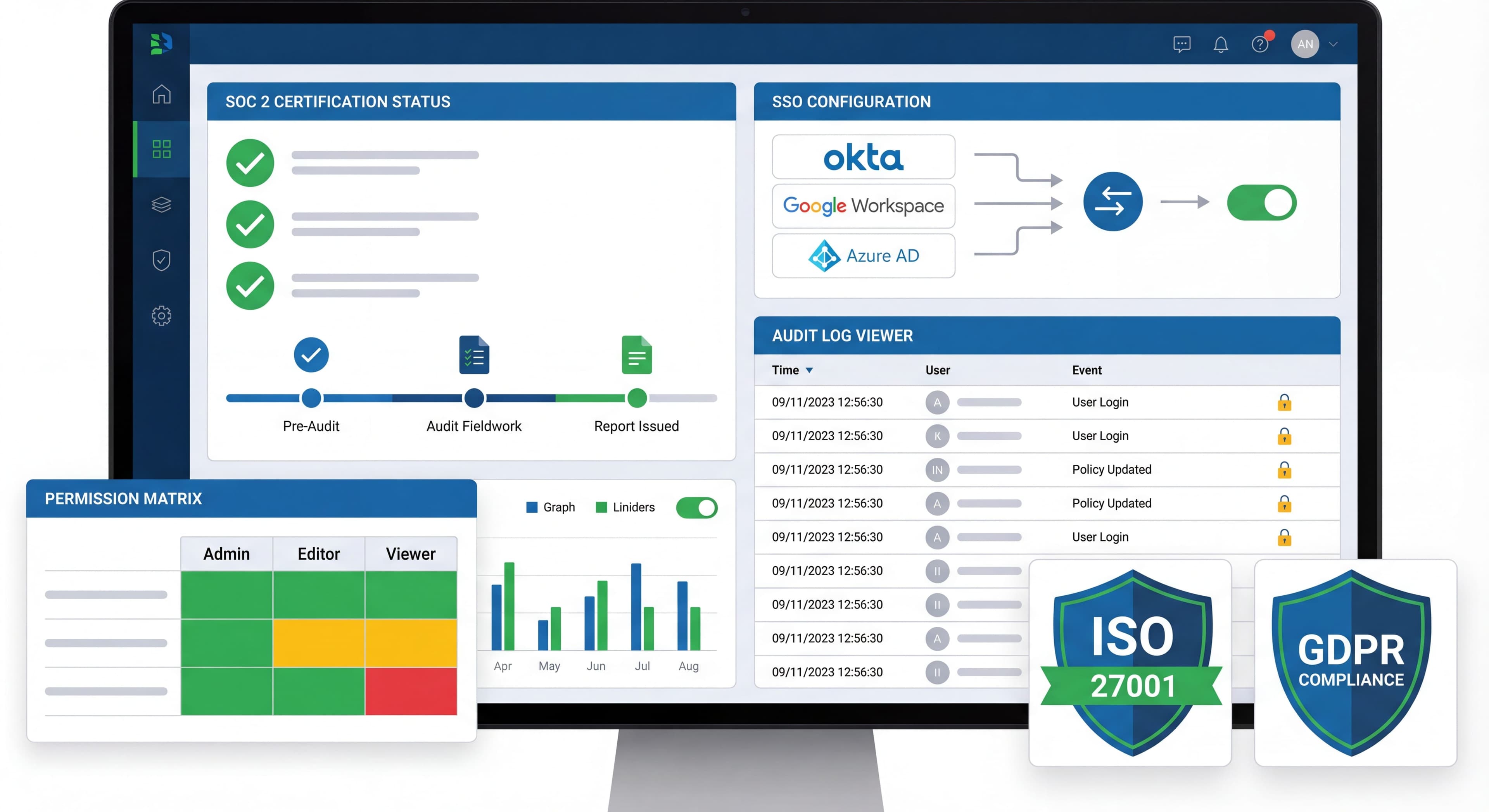

Onboarding tools get pretty deep into your product. They inject JavaScript, track what users do, and often need access to user data. If you're in a regulated industry or just care about security, this probably makes you a bit nervous. And honestly? It should.
Here's a number that might keep you up at night: 83% of organizations have dealt with a security problem from one of their vendors in the last three years. That's made companies a lot more careful when picking new software, especially tools like digital adoption platforms that need tight integration with your app and access to sensitive user data.
The bar has gotten higher recently. SOC 2 compliance isn't just about passing a point-in-time audit anymore. You're expected to have continuous monitoring, automated evidence collection, and solid third-party risk management. Get this wrong and you're not just risking breaches. You could lose enterprise deals or fail regulatory reviews entirely.
This guide walks through how to evaluate and set up onboarding tools with security and compliance in mind.
Documentation scattered?
Create step-by-step compliance guides that keep your team aligned on security requirements with Glitter AI.
Security Considerations
How Onboarding Tools Work
To assess security risks, you need to understand what's actually happening under the hood. When you add a digital adoption platform, you're giving a third-party vendor pretty deep access to your app environment.
It starts with a JavaScript snippet on your pages that loads asynchronously (so it doesn't tank your performance). This script connects to the vendor's servers, pulls down more resources, and starts watching what users do in your app.
The tool identifies users through code you provide, usually passing user IDs and metadata to personalize the experience. From there, it injects UI elements like tooltips, modals, and product tours directly into your DOM, layering on top of your existing interface. All along, it's tracking interactions like clicks, page views, form submissions, and any custom events you've defined. That data gets sent back to the vendor for analysis.
Here's what this means for security. You're running third-party JavaScript that has the same privileges as your own code. It can potentially access anything visible in the user's browser session. User data flows continuously to external systems. If you're dealing with different jurisdictions, that creates data residency and privacy headaches. If the vendor gets compromised, attackers could intercept sessions or inject malicious content through the onboarding tool itself. And their vulnerabilities become your vulnerabilities.
Risk Areas
The security risks fall into three main buckets. Knowing these helps you make better decisions about which vendor to pick and how to implement their tools.
Data exposure is probably the biggest worry. User identifiers have to go to the vendor so they can personalize and track across sessions. We're talking user IDs, email addresses, metadata like plan type, role, and account status. On top of that, they're collecting behavioral data continuously: every click, page view, and interaction. Things get risky when tracked events accidentally capture PII. Maybe you're logging form field values that include sensitive info, or tracking URLs with confidential parameters in them. You need to audit what data actually flows to these vendors and put controls in place to prevent accidental exposure.
Application security vulnerabilities come from the basic reality of third-party script injection. Loading JavaScript from an external vendor creates potential XSS vectors if that vendor gets compromised. Supply chain attacks have become more common. The SolarWinds attack showed how one vendor compromise can cascade across thousands of customer environments. For an onboarding tool running on every page of your app, the blast radius of such an attack would be huge. Every active user session could be exposed.
Availability risks are less severe than security breaches, but they still matter. Your app now depends on the vendor's uptime. If their service goes down, your onboarding breaks. Script loading can hurt page performance, especially on slow connections or mobile. CDN failures, DDoS attacks against the vendor, misconfigurations in their infrastructure: all of these can become your problems. Asynchronous loading, graceful degradation, and timeout handling help, but they don't eliminate the risk entirely.
Compliance Certifications
SOC 2
SOC 2 has become the gold standard for evaluating SaaS vendor security. Developed by the AICPA, this audit framework looks at five Trust Services Criteria: Security, Availability, Processing Integrity, Confidentiality, and Privacy. It gives you a standardized way to check if vendors have the right controls to protect your data and keep their service running. Over 70% of SOC 2 reports now include controls for third-party vendor risk, which makes sense. Your security is only as strong as your weakest vendor.
Here's the important distinction: Type I versus Type II. A SOC 2 Type I report is basically a snapshot. It verifies that controls exist at a specific point in time. Better than nothing, but controls could theoretically be spun up right before the audit and dropped afterward. SOC 2 Type II reports show ongoing security controls verified by independent auditors over at least six months. They test whether controls actually work, not just whether they exist on paper. If you're serious about security, Type II should be your minimum bar.
When you're evaluating vendors, look for a few specific things. Insist on Type II, not just Type I. Check that the audit is recent. Reports older than 12 months might not reflect current security posture. Make sure the vendor will share their full SOC 2 report (usually after signing an NDA). Vendors who refuse or only offer summary letters? That's a red flag. Also check the scope. Some vendors only have SOC 2 for part of their product line.
Vendor Status:
| Vendor | SOC 2 Type II |
|---|---|
| Pendo | ✓ |
| WalkMe | ✓ |
| Whatfix | ✓ |
| Appcues | ✓ |
| Userpilot | ✓ |
| UserGuiding | Check with vendor |
ISO 27001
What It Is:
International standard for information security management systems (ISMS).
Why It Matters:
Demonstrates systematic approach to information security.
Look For:
- Valid certification
- Scope covers relevant services
- Regular recertification
GDPR
GDPR changed the game for how organizations handle personal data, and its reach extends well beyond Europe. If you process data from EU residents, you need to comply. Doesn't matter where your company is based. For onboarding tools that track behavior and collect personal info, this isn't optional. Violations can cost up to 4% of global annual revenue.
The core requirements hit onboarding tools directly. You need a lawful basis for processing data: consent, contractual necessity, or legitimate interest. Users have rights you need to support, like accessing their data, getting it deleted, opting out, and receiving portable copies. Any vendor processing personal data for you needs to sign a Data Processing Agreement (DPA) that spells out their obligations, liabilities, and how they'll handle data subject requests. And you need to protect personal data with appropriate technical and organizational measures.
What does this mean practically when you're picking an onboarding tool? First, the tool needs to actually support GDPR features: data export, deletion APIs, opt-out mechanisms. The vendor needs a real DPA that defines their role as data processor, covers security measures, and includes breach notification procedures. Data residency matters too. Many organizations need EU data to stay on EU servers. Look for vendors with EU-specific hosting options. And your onboarding tool has to respect consent. If a user hasn't consented to tracking, the tool needs to back off. Some platforms now integrate directly with consent management tools like OneTrust or Cookiebot to handle this automatically.
CCPA
What It Is:
California Consumer Privacy Act—similar to GDPR for California residents.
Requirements:
- Right to know what data collected
- Right to delete
- Right to opt-out of sale
- Disclosure requirements
For Onboarding Tools:
- Data inventory support
- Deletion capability
- Opt-out mechanisms
HIPAA
What It Is:
Health Insurance Portability and Accountability Act—US healthcare data protection.
Requirements:
- Business Associate Agreement (BAA)
- Technical safeguards
- Administrative safeguards
- Physical safeguards
For Onboarding Tools:
- BAA availability
- Appropriate controls
- Audit logging
- Access controls
Vendor Status:
Most onboarding tools are NOT HIPAA compliant. If you handle PHI, verify carefully.
FedRAMP
What It Is:
Federal Risk and Authorization Management Program—US government cloud security.
Why It Matters:
Required for selling to US federal agencies.
Vendor Status:
Very few onboarding tools have FedRAMP authorization. WalkMe has achieved FedRAMP for certain products.
Data Handling
What Data Tools Collect
Typical Data Points:
| Data Type | Example | Risk Level |
|---|---|---|
| User ID | user_12345 | Low |
| user@company.com | Medium | |
| Actions | clicked_button | Low |
| Page URLs | /dashboard/settings | Low |
| User Properties | plan: enterprise | Low |
| Session Data | time_on_page: 45s | Low |
Minimizing Data Collection
Best Practices:
- Send Only What's Needed:
// Bad: Send everything
OnboardingTool.identify(userId, user);

// Good: Send only necessary properties
OnboardingTool.identify(userId, {
  plan: user.plan,
  role: user.role,
  signupDate: user.createdAt
  // Omit: email, name, phone, etc.
});
- Use Pseudonymous IDs:
// Instead of email or internal ID
OnboardingTool.identify(hashFunction(userId));
- Review Event Properties:
Ensure no PII in event data.
Data Residency
Why It Matters:
Some regulations require data stay in specific regions.
Questions to Ask:
- Where are servers located?
- Is EU/regional hosting available?
- Can data be restricted to specific regions?
- What about backups and DR sites?
Vendor Options:
| Vendor | US | EU | Other |
|---|---|---|---|
| WalkMe | ✓ | ✓ | Ask |
| Whatfix | ✓ | ✓ | India |
| Pendo | ✓ | ✓ | Ask |
| Appcues | ✓ | Ask | Ask |
Data Retention
Questions to Ask:
- How long is data retained?
- Can retention be customized?
- What happens on account termination?
- How is data deletion handled?
Best Practice:
Request data retention no longer than necessary for your use case.
Data Processing Agreements
What to Include:
- Scope of processing
- Data types covered
- Security obligations
- Subprocessor list
- Breach notification
- Audit rights
Red Flags:
- Unwillingness to sign DPA
- Vague security commitments
- No subprocessor disclosure
- No breach notification terms
Technical Security
Script Security
Risks:
- Malicious code injection
- Supply chain attacks
- Data exfiltration
Mitigations:
- Subresource Integrity (SRI):
<script src="https://cdn.vendor.com/script.js"
        integrity="sha384-..."
        crossorigin="anonymous"></script>
- Content Security Policy (CSP):
Content-Security-Policy: script-src 'self' https://cdn.vendor.com;
- Regular Audits:
Review what the script does periodically.
API Security
Best Practices:
- API keys with minimal permissions
- Rotate keys regularly
- Monitor API usage
- Restrict IP ranges if possible
Access Control
Within Your Organization:
- Limit who can create/modify onboarding
- Audit trail of changes
- Role-based access
- Review permissions regularly
With Vendor:
- SSO integration
- MFA enforcement
- Session timeouts
- IP restrictions
Vendor Security Assessment
You can't skip vendor security assessment anymore. It's a real risk management practice that prevents breaches and compliance failures. With over 70% of SOC 2 reports now covering third-party vendor controls, auditors expect to see documented evidence that you actually evaluated your vendors. Be systematic about it: cover security practices, infrastructure, and data handling with enough depth to make a real decision.
Same questions over and over?
Create self-serve documentation that empowers users to help themselves with Glitter AI.
Questions to Ask
Structure your evaluation around three areas. The questions you ask and how vendors respond will tell you whether they take security seriously or treat it like a checkbox.
Security practices come first. Ask about certifications. You want SOC 2 Type II, ISO 27001, and any industry-specific certs relevant to your business. When was their last penetration test? What did it cover? Will they share the executive summary? How do they handle vulnerabilities when found? Look for bug bounty programs, regular scanning, and clear remediation timeframes. What happens when there's a security incident? They should have defined response times, customer notification procedures, and post-incident reviews. And ask about employee security training. Human error causes a lot of breaches. Good vendors do regular training, phishing simulations, and require security awareness certification.
Infrastructure questions tell you where your data lives and how it's protected. Where are data centers located, including backups and DR sites? Which cloud provider (AWS, GCP, Azure)? Is data encrypted at rest and in transit? You want TLS 1.3 for transmission, AES-256 for storage. What are their Recovery Time and Recovery Point Objectives? Do they actually test their backups? Review the uptime SLA carefully: what's the guaranteed availability and what happens if they miss it?
Data handling questions get at how the vendor manages your user information. Ask exactly what data they collect, both what you send and what they gather through tracking. What are their retention policies? How long is data kept? What triggers deletion? What happens to your data if you end the relationship? Who within their organization has access to customer data? Look for role-based access, logging, and regular reviews. Ask about subprocessors. Many vendors rely on additional third parties for hosting, analytics, or support. These should be disclosed and ideally covered under the vendor's compliance frameworks. And confirm they'll provide a DPA that defines responsibilities, liabilities, and procedures for data subject requests.
Security Documentation
Request:
- SOC 2 Type II report
- Penetration test summary
- Security whitepaper
- DPA template
- Subprocessor list
- Privacy policy
Vendor Security Questionnaire
Many organizations use standard questionnaires:
- SIG (Standardized Information Gathering)
- CAIQ (Consensus Assessment Initiative Questionnaire)
- Custom questionnaires
Request completed questionnaire from vendors.
Implementation Security
Secure Installation
Best Practices:
- Environment Separation:
// Different configs per environment
const config = {
  development: { apiKey: 'dev_key', trackEvents: false },
  production: { apiKey: 'prod_key', trackEvents: true }
};
- Conditional Loading:
// Don't load in sensitive areas
if (!isSensitivePage()) {
  loadOnboardingTool();
}
- Sanitize User Data:
// Don't pass sensitive data
const safeUserData = {
  id: user.id,
  plan: user.plan
  // Don't include: ssn, creditCard, healthData
};
Monitoring
Track:
- Script load times
- Error rates
- Unusual activity
- Data volume transmitted
Alert On:
- Script failures
- Unexpected data patterns
- Security events
Incident Response
Prepare For:
- Vendor security breach
- Data exposure incidents
- Script compromise
Plan:
- Detection mechanism
- Kill switch for script
- Communication plan
- Vendor contact process
- Post-incident review
Same questions over and over?
Create self-serve documentation that empowers users to help themselves with Glitter AI.
Industry-Specific Considerations
Healthcare (HIPAA)
Requirements:
- BAA with vendor
- No PHI in onboarding data
- Access logging
- Encryption requirements
Approach:
- Use anonymized identifiers
- Avoid health-related content in events
- Verify vendor HIPAA compliance
- Consider self-hosted alternatives
Financial Services
Considerations:
- PCI DSS if handling card data
- SOX compliance
- State regulations
- Data security requirements
Approach:
- Don't send financial data to tool
- Audit logging
- Strong access controls
- Regular security reviews
Government
Requirements:
- FedRAMP for federal
- StateRAMP for state
- Specific security standards
Approach:
- Limited vendor options
- Consider self-hosted solutions
- Stricter data controls
- Extended vendor assessment
Privacy Best Practices
User Consent
For Tracking:
// Check consent before initializing
if (userHasConsentedToAnalytics()) {
  initOnboardingTool();
} else {
  initOnboardingToolWithoutTracking();
}
Cookie Banners:
Include onboarding tool cookies in consent flow.
Transparency
In Privacy Policy:
- Disclose use of onboarding tools
- Explain data collected
- Link to vendor privacy policy
User Rights
Support:
- Right to access (export user data)
- Right to delete (remove from tool)
- Right to opt-out (disable tracking)
Implementation:
// Handle opt-out
function handleOptOut() {
  OnboardingTool.optOut();
  // Or don't load at all for opted-out users
}

// Handle deletion request
async function handleDeletionRequest(userId) {
  await OnboardingTool.deleteUser(userId);
  // Log for compliance
}
Security Checklist
Vendor Evaluation
- SOC 2 Type II report reviewed
- ISO 27001 certification verified
- DPA signed
- Subprocessor list reviewed
- Security questionnaire completed
- Penetration test summary reviewed
- Data residency confirmed
Implementation
- Minimal data sent to tool
- No PII in event properties
- Secure API key management
- CSP configured appropriately
- Access controls implemented
- Monitoring in place
- Incident response plan ready
Ongoing
- Regular access reviews
- Vendor security updates monitored
- Annual security assessment
- Compliance documentation current
Audit prep overwhelming?
Build documentation that captures your security processes and keeps compliance evidence organized with Glitter AI.
The Bottom Line
Getting onboarding tool security right means balancing what you need the tool to do against the risks it introduces. Know what data goes where and make sure you have the right controls.
What matters most:
- Send as little data to third parties as possible
- Actually verify vendor security certifications
- Put the right technical controls in place
- Document everything for compliance
- Keep monitoring and reviewing
The best onboarding tool helps users succeed without creating security or compliance headaches down the road.
Continue learning: Choosing a Digital Adoption Platform and Building Custom Onboarding.
Frequently Asked Questions
What security certifications should I look for in onboarding tools?
Look for SOC 2 Type II certification (verified by independent auditor), ISO 27001 for information security management, and industry-specific compliance like HIPAA for healthcare or FedRAMP for government. Always request the most recent audit reports and verify certification scope covers your use case.
How do onboarding tools handle GDPR compliance?
GDPR-compliant onboarding tools provide Data Processing Agreements, support data subject rights (access, deletion, opt-out), offer EU data residency options, and integrate with consent management. Ensure the vendor can restrict data to specific regions and has clear data retention policies.
What data do digital adoption platforms collect from users?
Typical data includes user identifiers, behavioral data (clicks, page views, time on page), user properties like plan type and role, and session data. Best practice is to minimize data sent, use pseudonymous IDs, and avoid sending PII in event properties.
How can I minimize security risks when implementing onboarding tools?
Use Subresource Integrity (SRI) for scripts, configure Content Security Policy (CSP), send only necessary user data, use API keys with minimal permissions, implement conditional loading to exclude sensitive pages, and maintain a kill switch for vendor script compromise.
Are onboarding tools HIPAA compliant for healthcare applications?
Most onboarding tools are NOT HIPAA compliant. If you handle Protected Health Information (PHI), verify vendor compliance carefully, require a Business Associate Agreement (BAA), use anonymized identifiers, avoid health-related content in events, and consider self-hosted alternatives.