Building Custom Onboarding: When Off-the-Shelf Isn't Enough
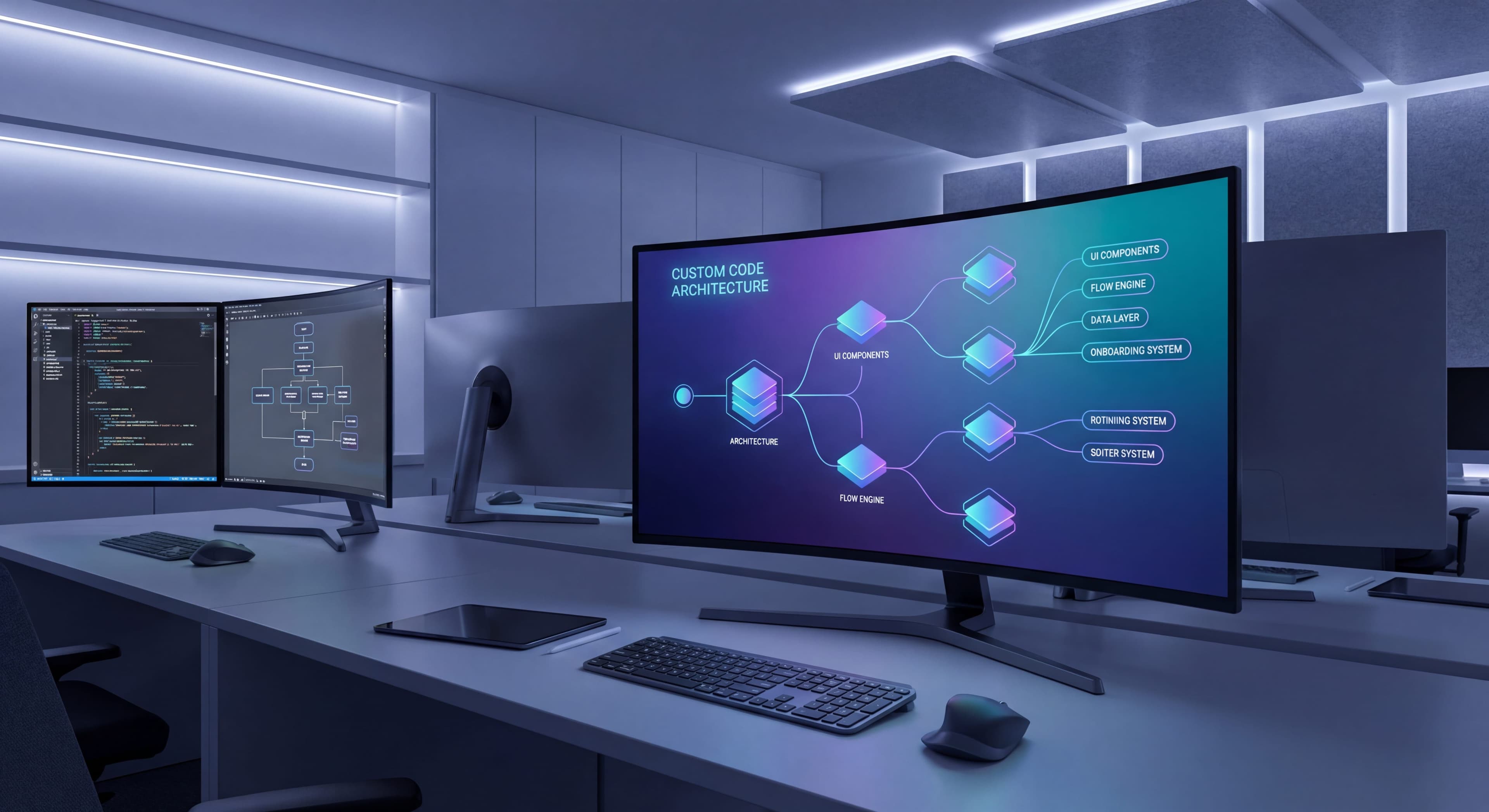

For most teams, third-party onboarding tools do the job just fine. But sometimes they don't. Maybe you need deep integration with your product, complete design control, or capabilities that simply don't exist in any off-the-shelf tool. When that happens, building custom becomes a real option.
This guide walks through when building custom actually makes sense, how to architect it, and what you're signing up for if you go that route.
Documenting custom systems?
Create step-by-step guides that capture your onboarding architecture decisions and implementation details with Glitter AI.
When to Build Custom
Valid Reasons
Deep Product Integration:
Your onboarding needs to interact with product state in ways tools can't support.
- Real-time data validation
- Complex conditional logic based on user actions
- Integration with custom components
- Native mobile with shared logic
Design Requirements:
You need complete control over look and feel.
- Strict brand guidelines
- Custom animations
- Unique interaction patterns
- Accessibility requirements beyond tool capabilities
Specific Functionality:
Features no tool provides.
- AI-powered personalization
- Complex branching logic
- Custom analytics requirements
- Regulatory compliance needs
Scale and Performance:
Performance requirements tools can't meet.
- High-traffic applications
- Real-time experiences
- Bundle size constraints
- Offline support
Strategic Investment:
Onboarding is core to your competitive advantage.
- Onboarding is a key differentiator
- Long-term investment makes sense
- In-house expertise exists
- Continuous iteration planned
Invalid Reasons
"Tools are expensive":
Custom costs more long-term when you factor in development and maintenance.
"We want full control":
You'll spend control on maintenance instead of optimization.
"Our product is unique":
Most "unique" products work fine with standard tools.
"Engineering can build it":
Engineering time has opportunity cost.
Decision Framework
Build Custom If:
- Multiple valid reasons above apply
- Engineering resources are available
- Long-term commitment is realistic
- Off-the-shelf tools have been evaluated
Use a Tool If:
- Standard onboarding patterns work
- Time to market matters
- Engineering is constrained
- You want to iterate without deploys
Buy vs Build Analysis
Cost Comparison
The real cost comparison goes way beyond sticker price. According to Whatfix's build vs buy analysis, roughly 90% of companies should buy rather than build. But you need to look at the full picture over multiple years.
Third-party tools have predictable costs. Year one: $10,000-50,000 in subscription fees (depending on your scale) plus $5,000-15,000 in engineering time to implement. Call it $15,000-65,000 total. After that, you're mostly paying subscriptions since the vendor handles updates, security, and new features. Five-year total: somewhere between $55,000-265,000.
Custom builds cost more upfront and keep costing. Research from Soltech's enterprise software pricing puts enterprise-grade software at $75,000 to $750,000 depending on complexity. A mid-tier custom onboarding system runs $50,000-200,000 in year one, which represents 3-6 months of engineering time. At California developer rates ($7,500/month), one developer for three months is $22,500. But you probably need multiple developers on frontend, backend, and infrastructure. That's $67,500+ just in labor.
Add design work to make it actually look good ($10,000-30,000), testing to make sure it works reliably ($5,000-15,000), and year one totals hit $65,000-245,000 before a single user sees it. Maintenance runs $20,000-50,000 annually for bug fixes, security patches, browser updates, performance work. Feature requests that a tool would include free cost another $10,000-30,000 yearly. According to Appcues' build vs buy research, average first-year costs hit $70,784 with ongoing maintenance around $25,766. Five-year total: $185,000-565,000. That's significantly more than buying.
True Cost Includes:
- Developer salaries
- Opportunity cost
- Bug fixes and incidents
- Documentation
- Knowledge transfer
Capability Comparison
Third-Party Advantages:
- Built-in analytics
- A/B testing infrastructure
- No-code editing
- Proven at scale
- Regular updates
- Customer support
Custom Advantages:
- Complete control
- Deep integration
- No vendor dependency
- Custom features
- Performance optimization
- IP ownership
Time to Market
The speed difference often decides things, especially for teams with limited resources. Third-party platforms fit nicely into quarterly planning and urgent business needs. Evaluation takes 2-4 weeks to demo platforms, run proof-of-concept tests, and get stakeholder buy-in. Implementation takes 1-2 weeks: add JavaScript snippets, configure user identification, build initial flows with no-code builders. According to 2025 onboarding platform reviews, most teams launch their first tour within days of installation. Full time-to-value in 3-6 weeks from evaluation to measurable impact.
Custom development runs on a completely different clock. Architecture and design eat 2-4 weeks while engineers figure out component structures, debate technology choices, write specs. This planning matters because bad architectural decisions compound into years of technical debt. Core development takes 2-4 months: building UI components, implementing flow logic, creating targeting engines, integrating analytics, building admin interfaces. Even with good planning, things consistently take longer than expected.
Testing adds another 2-4 weeks to cover browsers, devices, screen sizes, edge cases. Your first production tour goes live 3-5 months after kickoff, assuming no major setbacks or scope creep. Full time-to-value with iteration based on feedback: 4-6 months minimum. Third-party tools get you there in 3-6 weeks. That's an 8x speed advantage, which means faster experimentation, quicker optimization, and more responsive adaptation.
Architecture Decisions
Component Architecture
Core Components:
┌─────────────────────────────────────────┐
│           Onboarding System             │
├──────────┬──────────┬──────────────────┤
│  UI      │  Engine  │  Data Layer      │
│  Layer   │          │                  │
├──────────┼──────────┼──────────────────┤
│ Tooltips │ Flow     │ State            │
│ Modals   │ Logic    │ Management       │
│ Hotspots │ Targeting│ Analytics        │
│ Checklist│ Triggers │ Storage          │
└──────────┴──────────┴──────────────────┘
UI Layer:
Visual components users interact with.
Engine:
Logic for when and how to show onboarding.
Data Layer:
State, storage, and analytics.
Client vs Server
Client-Side:
- Faster interactions
- Works offline
- Simpler architecture
- Limited personalization
Server-Side:
- Advanced targeting
- A/B testing at scale
- Cross-device sync
- More complex
Hybrid (Recommended):
- Server for configuration and targeting
- Client for rendering and interaction
- Real-time sync when needed
Configuration Model
Code-Defined:
// Flows defined in code
const welcomeTour = {
  id: 'welcome',
  steps: [
    {
      target: '#dashboard',
      content: 'Welcome to your dashboard',
      position: 'bottom'
    }
  ],
  targeting: {
    newUser: true,
    notCompleted: 'welcome'
  }
};
Config-Driven:
{
  "id": "welcome",
  "steps": [
    {
      "target": "#dashboard",
      "content": "Welcome to your dashboard",
      "position": "bottom"
    }
  ],
  "targeting": {
    "newUser": true,
    "notCompleted": "welcome"
  }
}
Database-Driven:
Configuration stored in database, editable via admin UI.
Recommendation:
Start config-driven, add admin UI if non-engineers need to edit.
Building Core Components
UI Components
Tooltip Component:
// React example
function Tooltip({
  target,
  content,
  position,
  onNext,
  onDismiss,
  step,
  totalSteps
}) {
  const targetElement = document.querySelector(target);
  const rect = targetElement?.getBoundingClientRect();

  if (!targetElement || !rect) return null;

  const style = calculatePosition(rect, position);

  return (
    <div className="tooltip" style={style}>
      <div className="tooltip-content">{content}</div>
      <div className="tooltip-footer">
        <span>{step} of {totalSteps}</span>
        <button onClick={onDismiss}>Skip</button>
        <button onClick={onNext}>Next</button>
      </div>
      <div className="tooltip-arrow" />
    </div>
  );
}
Modal Component:
function Modal({ title, content, onClose, onAction, actionText }) {
  return (
    <div className="modal-overlay" onClick={onClose}>
      <div className="modal" onClick={e => e.stopPropagation()}>
        <button className="modal-close" onClick={onClose}>×</button>
        <h2>{title}</h2>
        <div className="modal-content">{content}</div>
        <div className="modal-actions">
          <button onClick={onClose}>Maybe Later</button>
          <button onClick={onAction}>{actionText}</button>
        </div>
      </div>
    </div>
  );
}
Checklist Component:
function Checklist({ items, title, onItemClick }) {
  return (
    <div className="checklist">
      <h3>{title}</h3>
      <div className="checklist-progress">
        <div
          className="progress-bar"
          style={{ width: `${calculateProgress(items)}%` }}
        />
      </div>
      <ul>
        {items.map(item => (
          <li
            key={item.id}
            className={item.completed ? 'completed' : ''}
            onClick={() => onItemClick(item)}
          >
            <span className="checkbox">
              {item.completed ? '✓' : '○'}
            </span>
            {item.title}
          </li>
        ))}
      </ul>
    </div>
  );
}
Flow Engine
Flow Controller:
class OnboardingEngine {
  constructor(flows, userState) {
    this.flows = flows;
    this.userState = userState;
    this.activeFlow = null;
    this.currentStep = 0;
  }

  // Check which flows should trigger
  evaluateFlows() {
    for (const flow of this.flows) {
      if (this.shouldTrigger(flow)) {
        return this.startFlow(flow);
      }
    }
    return null;
  }

  // Evaluate targeting rules
  shouldTrigger(flow) {
    const { targeting } = flow;

    // Check if already completed
    if (targeting.notCompleted) {
      if (this.userState.completedFlows.includes(flow.id)) {
        return false;
      }
    }

    // Check user attributes
    if (targeting.userAttribute) {
      const { attribute, value } = targeting.userAttribute;
      if (this.userState.attributes[attribute] !== value) {
        return false;
      }
    }

    // Check page/route
    if (targeting.route) {
      if (!window.location.pathname.match(targeting.route)) {
        return false;
      }
    }

    return true;
  }

  startFlow(flow) {
    this.activeFlow = flow;
    this.currentStep = 0;
    this.emit('flowStarted', { flow });
    return this.getCurrentStep();
  }

  nextStep() {
    this.currentStep++;
    if (this.currentStep >= this.activeFlow.steps.length) {
      return this.completeFlow();
    }
    this.emit('stepChanged', { step: this.currentStep });
    return this.getCurrentStep();
  }

  completeFlow() {
    this.emit('flowCompleted', { flow: this.activeFlow });
    this.userState.completedFlows.push(this.activeFlow.id);
    this.activeFlow = null;
    return null;
  }

  skipFlow() {
    this.emit('flowSkipped', { flow: this.activeFlow, step: this.currentStep });
    this.activeFlow = null;
    return null;
  }

  getCurrentStep() {
    if (!this.activeFlow) return null;
    return this.activeFlow.steps[this.currentStep];
  }
}
Onboarding handoffs messy?
Build SOPs that ensure smooth knowledge transfer when developers transition off custom projects with Glitter AI.
State Management
User State Structure:
const userOnboardingState = {
  userId: 'user-123',

  // Flow completion
  completedFlows: ['welcome-tour', 'feature-intro'],
  skippedFlows: ['advanced-tips'],

  // Checklist progress
  checklists: {
    'getting-started': {
      items: {
        'create-project': { completed: true, completedAt: '2025-01-15' },
        'invite-team': { completed: false },
        'first-report': { completed: false }
      },
      startedAt: '2025-01-14',
      completedAt: null
    }
  },

  // User attributes for targeting
  attributes: {
    plan: 'pro',
    role: 'admin',
    signupDate: '2025-01-14',
    projectCount: 3
  },

  // Session tracking
  sessions: {
    first: '2025-01-14',
    last: '2025-01-18',
    count: 5
  }
};
State Persistence:
// Save to localStorage + server
class OnboardingStateManager {
  constructor(userId) {
    this.userId = userId;
    this.state = this.load();
  }

  load() {
    // Try localStorage first
    const local = localStorage.getItem(`onboarding_${this.userId}`);
    if (local) return JSON.parse(local);

    // Fallback to server
    return this.fetchFromServer();
  }

  save() {
    // Save locally for fast access
    localStorage.setItem(
      `onboarding_${this.userId}`,
      JSON.stringify(this.state)
    );

    // Sync to server
    this.syncToServer();
  }

  async syncToServer() {
    await fetch('/api/onboarding/state', {
      method: 'POST',
      body: JSON.stringify(this.state)
    });
  }
}
Analytics Integration
Event Tracking:
class OnboardingAnalytics {
  constructor(analyticsProvider) {
    this.analytics = analyticsProvider;
  }

  trackFlowStarted(flow) {
    this.analytics.track('Onboarding Flow Started', {
      flowId: flow.id,
      flowName: flow.name,
      stepsTotal: flow.steps.length
    });
  }

  trackStepViewed(flow, stepIndex) {
    this.analytics.track('Onboarding Step Viewed', {
      flowId: flow.id,
      stepIndex: stepIndex,
      stepName: flow.steps[stepIndex].name
    });
  }

  trackFlowCompleted(flow, duration) {
    this.analytics.track('Onboarding Flow Completed', {
      flowId: flow.id,
      flowName: flow.name,
      duration: duration,
      stepsCompleted: flow.steps.length
    });
  }

  trackFlowSkipped(flow, stepIndex) {
    this.analytics.track('Onboarding Flow Skipped', {
      flowId: flow.id,
      skippedAtStep: stepIndex,
      percentComplete: (stepIndex / flow.steps.length) * 100
    });
  }
}
Advanced Features
Element Targeting
Robust Selector Strategy:
function findTargetElement(selector) {
  // Try exact selector first
  let element = document.querySelector(selector);
  if (element) return element;

  // Try data attribute
  element = document.querySelector(`[data-onboarding="${selector}"]`);
  if (element) return element;

  // Try aria label
  element = document.querySelector(`[aria-label="${selector}"]`);
  if (element) return element;

  // Text content fallback
  const allElements = document.querySelectorAll('*');
  for (const el of allElements) {
    if (el.textContent?.trim() === selector) {
      return el;
    }
  }

  return null;
}
Wait for Element:
async function waitForElement(selector, timeout = 5000) {
  const start = Date.now();

  while (Date.now() - start < timeout) {
    const element = findTargetElement(selector);
    if (element) return element;
    await new Promise(resolve => setTimeout(resolve, 100));
  }

  throw new Error(`Element ${selector} not found within ${timeout}ms`);
}
Dynamic Positioning
Smart Positioning:
function calculateTooltipPosition(targetRect, position, tooltipSize) {
  const viewport = {
    width: window.innerWidth,
    height: window.innerHeight
  };

  let top, left;

  switch (position) {
    case 'bottom':
      top = targetRect.bottom + 10;
      left = targetRect.left + (targetRect.width - tooltipSize.width) / 2;
      break;
    case 'top':
      top = targetRect.top - tooltipSize.height - 10;
      left = targetRect.left + (targetRect.width - tooltipSize.width) / 2;
      break;
    // ... other positions
  }

  // Viewport boundary adjustments
  if (left < 10) left = 10;
  if (left + tooltipSize.width > viewport.width - 10) {
    left = viewport.width - tooltipSize.width - 10;
  }
  if (top < 10) top = 10;
  if (top + tooltipSize.height > viewport.height - 10) {
    top = viewport.height - tooltipSize.height - 10;
  }

  return { top, left };
}
A/B Testing
Variant Assignment:
function assignVariant(userId, experimentId, variants) {
  // Consistent hash-based assignment
  const hash = hashCode(`${userId}-${experimentId}`);
  const index = Math.abs(hash) % variants.length;
  return variants[index];
}

function hashCode(str) {
  let hash = 0;
  for (let i = 0; i < str.length; i++) {
    const char = str.charCodeAt(i);
    hash = ((hash << 5) - hash) + char;
    hash = hash & hash;
  }
  return hash;
}

// Usage
const variant = assignVariant(userId, 'welcome-tour-v2', ['control', 'short', 'detailed']);
const flow = flows[`welcome-tour-${variant}`];
Same questions over and over?
Create self-serve documentation that empowers users to help themselves with Glitter AI.
Maintenance Considerations
What You're Signing Up For
Ongoing Tasks:
- Bug fixes when product changes
- Browser compatibility updates
- Performance optimization
- Security patches
- Feature requests
Time Investment:
Expect 10-20% of initial build time annually for maintenance.
Technical Debt
Common Debt Sources:
- Hardcoded selectors that break
- Missing edge case handling
- Inconsistent state management
- Sparse documentation
Prevention:
- Use stable selectors (data attributes)
- Comprehensive error handling
- Centralized state management
- Document as you build
Team Knowledge
Risk:
Custom systems become black boxes when original developers leave.
Mitigation:
- Thorough documentation
- Code reviews
- Knowledge transfer sessions
- Multiple team members involved
Hybrid Approaches
Tools + Custom
Use Tool For:
- Standard tours and tooltips
- Quick experiments
- Non-engineering team changes
Build Custom For:
- Deep integrations
- Unique interactions
- Performance-critical paths
Headless Tools
Some tools offer APIs without UI:
- Use tool's targeting and analytics
- Build custom UI components
- Get best of both worlds
Progressive Custom
- Start with third-party tool
- Identify limitations
- Build custom for specific needs
- Migrate gradually if needed
Same questions over and over?
Create self-serve documentation that empowers users to help themselves with Glitter AI.
The Bottom Line
Building custom onboarding is a big investment. It makes sense in specific situations, but for most teams, it's the wrong call.
Build Custom When:
- Deep integration is genuinely required
- Design requirements really exceed what tools can do
- Scale demands justify the investment
- You can realistically commit long-term
Key Principles:
- Start with clear requirements
- Evaluate tools first
- Plan for maintenance
- Document everything
- Consider hybrid approaches
The goal isn't building custom for its own sake. It's solving user problems in the best way for your specific situation. Sometimes that's custom. Usually it's not.
Continue learning: Choosing a Digital Adoption Platform and No-Code Onboarding Tools.
Frequently Asked Questions
When should I build custom onboarding instead of using a third-party tool?
Build custom when you need deep product integration, pixel-perfect design control, specific functionality no tool provides, or when onboarding is a competitive differentiator. Use a tool if standard patterns work, time to market matters, or engineering is constrained.
How much does it cost to build custom onboarding?
Custom onboarding typically costs $65,000-245,000 in year one (including development, design, and testing) plus $30,000-80,000 annually for maintenance and feature additions. Third-party tools cost $15,000-65,000 in year one with minimal ongoing maintenance.
What are the essential components of a custom onboarding system?
A custom onboarding system needs three layers: UI components (tooltips, modals, hotspots, checklists), an engine layer (flow logic, targeting rules, triggers), and a data layer (state management, analytics, storage). Start with config-driven architecture and add an admin UI if non-engineers need to edit.
How long does it take to build custom onboarding?
Expect 3-5 months before your first tour goes live: 2-4 weeks for architecture, 2-4 months for core development, and 2-4 weeks for testing. Third-party tools typically deliver value in 3-6 weeks including evaluation and implementation.
What are the ongoing maintenance requirements for custom onboarding?
Expect 10-20% of initial build time annually for maintenance including bug fixes when the product changes, browser compatibility updates, performance optimization, and security patches. Document thoroughly to prevent the system becoming a black box when developers leave.