Onboarding During Acquisition: Migrating Users Successfully
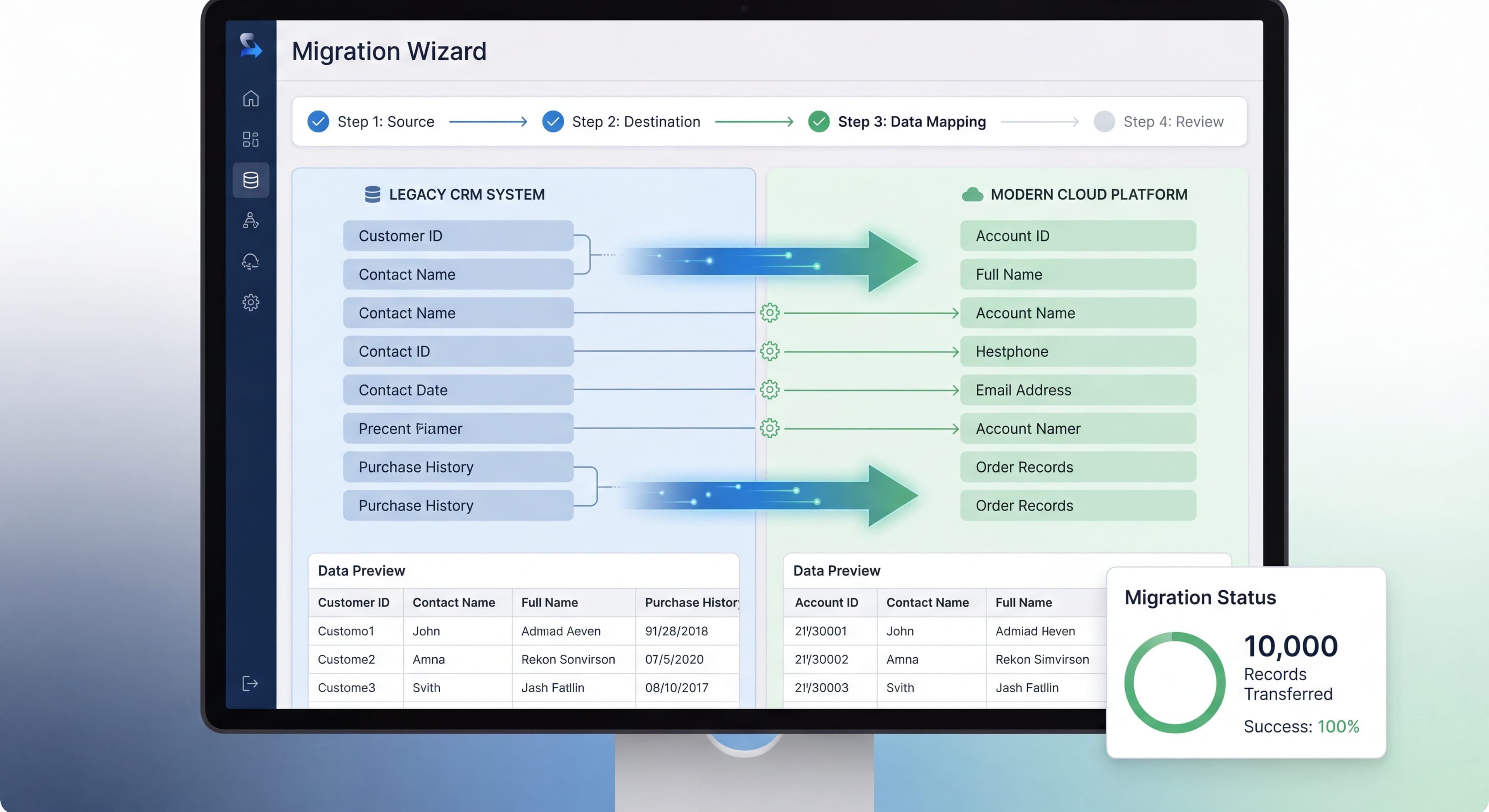

Acquisitions and product consolidations create a unique onboarding challenge. You're not introducing users to something new. You're asking them to abandon something familiar. Users have muscle memory, established workflows, and emotional attachment to the old product. Get this wrong and you lose the very users you acquired.
Here's how to onboard users during acquisitions and migrations without losing them in the process.
Migrated users constantly confused?
Create step-by-step guides that map old workflows to new ones and reduce support burden with Glitter AI.
The Acquisition Onboarding Challenge
What Makes It Different
Normal Onboarding:
- Users chose to try your product
- No existing habits to break
- Fresh start mindset
- Eager to learn
Acquisition Onboarding:
- Users didn't choose to switch
- Strong existing habits
- Skeptical or resistant
- Want familiar, not new
Standard user onboarding and user migration onboarding are fundamentally different and require completely different strategies. When users migrate from an acquired platform to a parent company's ecosystem, they often face disjointed journeys that lead to confusion, frustration, and drop-offs. Zigpoll research on post-acquisition migrations found that this disconnect happens because product teams treat migrating users like new users. They fail to acknowledge the context, history, and emotional investment these people bring from their previous platform. Migrating users have built muscle memory for specific workflows. They've developed mental models of how features should work. Many feel a real emotional connection to a product they've used for years. Forcing them through generic onboarding that ignores all of this feels disrespectful and creates immediate resistance. Here's the thing: these users aren't looking for novelty or improvement. They were satisfied with what they had. Your onboarding has to convince them that the disruption of migration will ultimately benefit them, despite the short-term pain and learning curve. That requires transparency, empathy, and exceptional support, not the enthusiasm and feature highlights that work for people who chose to sign up.
Common Failure Modes
Forced Migration:
"You must switch by [date]" with minimal support.
→ Users churn to competitors.
When companies announce forced migrations without adequate preparation, training, or support, they create an exodus to competitors. Forrester research on migration planning makes it clear that users need time, resources, and clear communication to successfully transition between platforms. A hard deadline with minimal support signals that the acquiring company cares more about operational efficiency than customer success. That destroys whatever trust existed with the acquired product. Users facing this scenario often see it as the perfect time to evaluate alternatives they might not have otherwise considered. Churn rates can exceed 40% during poorly managed migrations.
Feature Gap Frustration:
Key features from old product missing.
→ Users angry and vocal.
Feature parity is one of the most predictable yet poorly handled parts of product consolidation. Rocketlane research on data migration during customer onboarding shows that users rely heavily on specific features to get their work done. Discovering that critical functionality doesn't exist in the new platform creates immediate productivity losses and vocal dissatisfaction. The frustration gets worse when product teams downplay these gaps or suggest workarounds that require significantly more effort than the original workflow. These feature gaps don't just inconvenience users. They can make it impossible for people to do their jobs, forcing them to maintain parallel tools or abandon your platform entirely. The most damaging aspect is when companies fail to communicate their roadmap for addressing these gaps. Users are left uncertain whether the features will ever come back.
Broken Workflows:
Same task now requires different steps.
→ Users frustrated and unproductive.
Workflow disruption creates productivity losses that go way beyond individual frustration. When a task that took three familiar clicks now takes five unfamiliar ones, users experience this as regression, not just "different." Whatfix research on application consolidation reveals that the cognitive load of relearning muscle memory for daily tasks creates sustained resistance to the new platform. A marketing team that could generate reports in 30 seconds on the old platform but now needs 5 minutes on the new one doesn't just feel frustrated. They experience measurable productivity losses that multiply across every team member and every instance of that task. These broken workflows often come from fundamental architectural differences between platforms that can't be easily fixed. That makes transparent communication and solid training critical for managing expectations.
Communication Failures:
Users surprised by changes.
→ Trust destroyed.
Maybe the most damaging failure mode is inadequate communication that leaves users blindsided by migration announcements, timelines, or changes. Orb research on customer migration strategies emphasizes that regular updates via email, blog posts, and in-app notifications keep users informed and engaged throughout the transition. When users learn about major changes through indirect channels, like discovering their familiar tool no longer works or reading about the migration in the press rather than from the company, they feel disrespected. They start questioning whether to continue the relationship. Trust destruction happens fast but rebuilds slowly. Early, frequent, and honest communication is essential for successful migrations. Without communication, users fill the vacuum with worst-case assumptions, rumors, and anxiety that poison the entire process.
The Stakes
What's At Risk:
- Acquired user base (the whole point)
- Brand reputation
- Revenue from migrations
- Employee morale
- Integration success
Communication Strategy
Timeline
Before Announcement:
- Internal preparation
- Support team training
- Documentation ready
- Migration tools built
At Announcement:
- Clear, honest communication
- Timeline provided
- FAQ published
- Support channels open
During Migration:
- Regular updates
- Progress transparency
- Issue acknowledgment
- Support availability
After Migration:
- Thank you messaging
- Success celebration
- Ongoing support
- Feedback collection
Messaging Principles
Acknowledge the Change:
Don't pretend it's not disruptive.
Bad: "Exciting news! You're being upgraded!"
Good: "We know change is hard. Here's why this matters and how we'll help."
Explain the Why:
Users need to understand the rationale.
"[Acquired Product] is joining [Acquirer] to..."
- Provide better [specific value]
- Invest more in [specific area]
- Combine strengths
Be Honest About Tradeoffs:
Acknowledge what's changing or lost.
"Some features work differently now. Here's what's changing and why."
Commit to Support:
Make help obviously available.
"Our team is here to help you through this transition."
Channel Strategy
Email:
Primary for official communications.
- Announcement
- Timeline updates
- Migration instructions
- Follow-ups
In-App:
For users actively using product.
- Banners for awareness
- Migration prompts
- Status updates
- Help links
Documentation:
Reference material.
- Migration guides
- Feature mapping
- FAQ
- Troubleshooting
Support:
Active assistance.
- Dedicated migration support
- Live chat/phone
- Office hours
- Escalation paths
Migration Onboarding Design
Mapping Old to New
Feature Mapping:
Document how every old feature maps to new.
Old Feature → New Feature
─────────────────────────
Dashboard → Home
Reports → Analytics
  - Custom reports → Saved views
  - Scheduled reports → Automated reports
Settings → Workspace settings
  - Profile → Account settings
  - Team → Team management
Workflow Mapping:
Document common workflows.
"Create a report" workflow:
Old: Reports → New → Select template → Configure
New: Analytics → Create → Choose type → Build
Progressive Familiarization
Don't Dump Everything:
Phase the introduction of differences.
Phase 1: Core Workflows
Focus on daily essentials first.
- Primary tasks
- Critical features
- Must-know changes
Phase 2: Secondary Features
Introduce next layer.
- Reporting
- Customization
- Integrations
Phase 3: Advanced Capabilities
Show new possibilities.
- New features not in old product
- Advanced workflows
- Power user capabilities
Guided Tours for Migration
Migration-Specific Tours:
Not: "Welcome to [Product]!"
But: "Your new home for [workflow]"
Example Tour:
Step 1: Orientation
"Things look different, but your work is here."
→ Show where familiar things live
Step 2: Key Change
"The biggest change: [specific difference]"
→ Explain and demonstrate
Step 3: Quick Win
"Let's do [common task] the new way"
→ Hands-on success
Step 4: Help Access
"Questions? We're here to help"
→ Show support options
Comparison Mode
Side-by-Side Learning:
For significant UI changes, offer comparison.
┌─────────────────┬─────────────────┐
│ Old Way         │ New Way         │
│ (what you knew) │ (what to do now)│
├─────────────────┼─────────────────┤
│ Click Reports   │ Click Analytics │
│ Select New      │ Select Create   │
│ ...             │ ...             │
└─────────────────┴─────────────────┘
Handling Feature Gaps
Inevitable Gaps
Reality:
Acquired product features rarely map 1:1.
Common Gaps:
- Features that don't exist in new product
- Features that work differently
- Integrations not yet supported
- Workflows not accommodated
Gap Communication
Be Transparent:
List what's not available (yet).
"These features are coming:
- [Feature A] - March 2025
- [Feature B] - Q2 2025
- [Feature C] - Evaluating"
Provide Alternatives:
Where possible, show workarounds.
"[Old feature] isn't available yet. Here's how to accomplish similar outcome..."
Commit to Roadmap:
If features are coming, share timeline.
"We're building [feature] because we heard how important it is. Expected: [date]"
Prioritizing Gap Closure
Framework:
High Usage + High Value → Build immediately
High Usage + Low Value → Evaluate
Low Usage + High Value → Plan for later
Low Usage + Low Value → Potentially sunset
User Research:
Survey acquired users on critical features before migration.
Technical Migration
Data Migration
What Users Need:
- Confidence their data is safe
- Visibility into migration status
- Access to historical data
- Minimal manual work
Data migration is one of the most anxiety-inducing parts of product consolidation for users who have years of valuable information stored in the acquired platform. Rocketlane research on data migration during customer onboarding reveals that successful migrations need more than technical excellence. They require transparent communication and user reassurance throughout the process. Users need confidence that their data is safe, which means clear communication about security measures, backup procedures, and rollback capabilities if something goes wrong. Visibility into migration status through progress indicators, estimated completion times, and real-time updates turns an opaque, worrying process into a manageable one. Access to historical data is critical. Users must be able to retrieve information from before the migration without learning entirely new systems or losing important context and metadata. Minimizing manual work by automating data transformation, field mapping, and structural changes respects users' time and reduces the chance of human error that could result in data loss or corruption. Flatfile research on data onboarding shows that when the data migration experience is positive and painless, users reach their "aha" moment much faster. This significantly reduces churn, particularly for lower-priced SaaS products with no personalized onboarding.
Communication:
"Your data will be automatically migrated. Here's what's happening..." Good communication during data migration means specific details about what data is being moved, when the migration will occur, how long it will take, what users need to do (if anything), and how they can verify everything afterward. Vague reassurances create more anxiety than they resolve.
Onboarding After Migration:
"Your data is here. Let's show you where to find it." Post-migration onboarding has to help users quickly locate and work with their migrated data in the new system. That means highlighting where familiar data types now live, showing how to search and filter using new tools, and providing clear migration summaries of what was moved and where to find it. NetcoreCloud's platform migration guide points out that using migrated data to pre-populate onboarding fields and personalize experiences shows users the migration worked. It reduces anxiety about data loss while speeding up their time to productivity.
Account Migration
Seamless When Possible:
- SSO maintains access
- Credentials carry over
- No re-registration required
When Reset Required:
- Clear instructions
- Secure process
- Support available
Integration Migration
Critical for Retention:
Users depend on integrations.
Approach:
- Map all integrations from old product
- Identify equivalents in new product
- Provide migration guides per integration
- Support re-connection process
Support Strategy
Processes undocumented?
Create step-by-step SOPs that capture best practices in minutes with Glitter AI.
Migration-Specific Support
Dedicated Resources:
- Migration support team
- Specialized training
- Extended hours
- Escalation paths
Support infrastructure needs to scale dramatically during migration periods to handle the inevitable surge in questions, confusion, and problems. Whatfix's case study on ERP consolidation for a multinational renewable energy company shows what good support can do. They cut onboarding time by about 50%, getting employees up to speed in days instead of weeks. Dedicated migration support teams with specialized training on both the old and new platforms can provide context-aware assistance that generic support simply can't. These teams understand not just how the new platform works, but why users struggle with the transition and how to translate old workflows into new ones. Extended support hours during migration windows recognize that users across different time zones and work schedules need help when they're actually working through the transition. Clear escalation paths for complex issues or users experiencing serious problems prevent frustration from turning into churn. ArisetGTM research on HubSpot CRM migration emphasizes that migration success depends heavily on having dedicated support resources available throughout the process, not just during the initial cutover.
Common Questions:
Pre-build answers for predictable questions.
- "Where is [feature]?"
- "How do I [workflow]?"
- "What happened to [data]?"
- "When will [gap] be filled?"
Anticipating and pre-answering common questions dramatically reduces support burden and user frustration. Creating solid documentation, interactive tutorials, step-by-step guides, and short videos showing how to use new features lets users self-serve for routine questions. Better documentation is a vital part of a solid customer migration strategy according to Orb's research on SaaS migration. Consider offering live webinars or workshops where customers can ask questions and get hands-on experience with the new platform. This proactive approach to common questions shows preparedness and competence. It builds confidence in the migration process while reducing the volume of individual support requests.
Self-Service Resources
Migration Knowledge Base:
- Step-by-step migration guide
- Feature mapping reference
- FAQ for migrating users
- Video walkthroughs
- Troubleshooting guides
In-App Help:
- Contextual migration tips
- "Coming from [old product]?" links
- Quick reference cards
- Search optimized for old terminology
Feedback Loops
Collect Actively:
- Post-migration survey
- In-app feedback
- Support ticket analysis
- NPS comparison
Act Visibly:
Show users their feedback matters.
"Based on your feedback, we've added [feature]"
Processes undocumented?
Create step-by-step SOPs that capture best practices in minutes with Glitter AI.
Timeline Considerations
Migration Window
Too Fast:
Rushed migration leads to:
- Incomplete preparation
- User frustration
- Support overwhelm
- Data issues
Too Slow:
Extended timeline leads to:
- Prolonged uncertainty
- Maintaining two systems
- Delayed benefits
- User fatigue
Sweet Spot:
Typically 3-6 months depending on complexity.
Phased Migration
Wave Approach:
Wave 1 (Month 1): Eager early adopters
- Volunteers
- Champions
- Early feedback

Wave 2 (Month 2-3): Majority
- Main user base
- Refined process
- Scaled support

Wave 3 (Month 4+): Stragglers
- Resistant users
- Complex cases
- Final migration
Sunset Old Product
Before Sunset:
- Clear communication
- Data export options
- Final migration push
- Support for holdouts
At Sunset:
- Redirect to new product
- Help for last-minute migrators
- Data access for period post-sunset
Measuring Migration Success
Migration Metrics
Volume:
- Users migrated
- Migration completion rate
- Time to migrate
- Support tickets during migration
Quality:
- Post-migration activation
- Feature adoption
- User satisfaction
- Churn rate post-migration
Benchmark Against Acquisition Baseline
Track:
Pre-acquisition:
- Active users: 10,000
- DAU/MAU: 45%
- NPS: 42

Post-migration targets:
- Users retained: 80%+ (8,000)
- DAU/MAU: Maintain or improve
- NPS: Maintain or improve
Long-Term Success
90-Day Post-Migration:
- Retention vs. pre-migration
- Feature adoption depth
- Support normalization
- Satisfaction recovery
Common Mistakes
Mistake 1: Surprise Migration
Problem: Users learn about migration with little notice.
Fix: Communicate early and often.
Mistake 2: Ignoring Feature Gaps
Problem: Pretending everything is equivalent.
Fix: Acknowledge gaps, communicate plans.
Mistake 3: Generic Onboarding
Problem: Same onboarding for new and migrated users.
Fix: Migration-specific onboarding paths.
Mistake 4: Support Underestimation
Problem: Not preparing for support volume.
Fix: Scale support proactively.
Mistake 5: Rushing to Sunset
Problem: Shutting down old product too soon.
Fix: Allow adequate migration time.
Support overwhelmed during migration?
Create step-by-step guides that answer migration questions before users need to ask with Glitter AI.
The Bottom Line
Acquisition onboarding is as much about change management as it is about product onboarding. Users aren't excited new customers. They're disrupted existing customers. Success requires empathy, transparency, support, and patience.
Key Principles:
- Communicate early, often, and honestly
- Map old to new explicitly
- Acknowledge and address gaps
- Provide exceptional migration support
- Measure retention, not just migration
The goal isn't just migrating users. It's retaining them as happy customers in the new product.
Continue learning: Enterprise Onboarding and Reducing Churn.
Frequently Asked Questions
How do you onboard users during a product acquisition?
Create migration-specific onboarding paths that acknowledge the change, map old features to new equivalents, provide exceptional support, and communicate early and often. Focus on retaining users as happy customers rather than just completing the technical migration.
What is the ideal timeline for migrating users after an acquisition?
The optimal migration window is typically 3-6 months depending on complexity. Use a phased wave approach: early adopters first, then the majority of users, followed by stragglers and complex cases.
How do you handle feature gaps when migrating acquired users?
Be transparent by listing what features are not yet available, provide workarounds where possible, commit to a roadmap with specific timelines, and prioritize building high-usage, high-value features immediately.
What makes acquisition onboarding different from normal user onboarding?
Users in acquisition onboarding did not choose to switch products, have strong existing habits and muscle memory, are often skeptical or resistant, and want familiar workflows rather than new ones. This requires empathy, transparency, and extensive support.
How do you measure success when migrating users between products?
Track migration completion rate, post-migration activation and feature adoption, user satisfaction and NPS compared to pre-acquisition baseline, churn rate after migration, and long-term retention at 90 days post-migration.