Funnel Analysis for Onboarding: Finding Where Users Drop Off
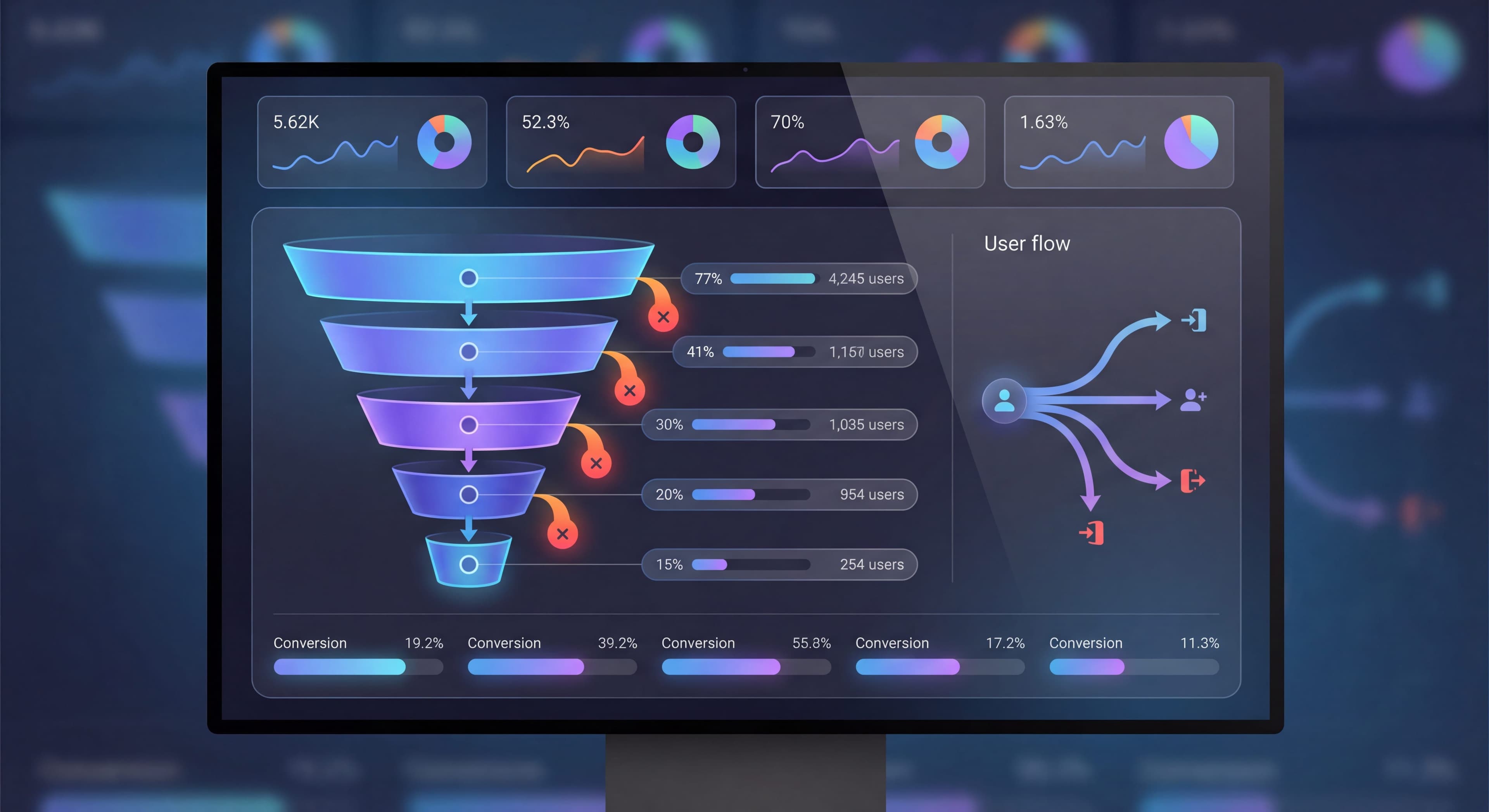

Every user who signs up but doesn't activate is lost potential, wasted acquisition spend, and unrealized revenue. Funnel analysis shows exactly where these losses happen, turning vague "onboarding problems" into precise, actionable insights. Mixpanel research shows the average app loses 80% of users within three days, but that aggregate number hides where drop-offs actually concentrate. For SaaS teams, funnel analysis is one of the highest-leverage growth opportunities because improvements compound. A five-point lift in onboarding conversion often creates more impact than the same improvement in retention, since funnel gains apply to every new user.
When you know 40% of users drop off at step 3, and you can diagnose why through session recordings, surveys, and cohort analysis, you can make targeted fixes and measure what happens. That's the power of systematic funnel analysis: data-driven optimization instead of guesswork. Companies with cross-functional onboarding teams that regularly analyze their funnels report 27% higher completion rates according to UserOnboard research.
This guide covers how to build onboarding funnels, analyze drop-off patterns across segments, diagnose root causes, and optimize each step to improve activation rates.
Users dropping off mid-onboarding?
Create step-by-step guides that reduce friction and help users complete each funnel step with Glitter AI.
What is Funnel Analysis?
Funnel analysis is a systematic way to understand how users move through sequential steps toward a goal, measuring conversion between steps and identifying where people abandon the journey. This approach transforms onboarding from a black box into something transparent and measurable. Every transition point can be examined, understood, and optimized. Funnel analysis doesn't just give you aggregate activation rates. It reveals specific problems in your onboarding flow that prevent users from reaching value.
Funnel Basics
A few key concepts form the foundation. Steps are the sequential actions users take to reach their goal: account creation, profile completion, first project, activation. Each step should be specific, measurable, and represent meaningful progress. Granularity matters. Too few steps and you miss important details. Too many and analysis becomes unwieldy.
Conversion rate measures the percentage of users completing each step after reaching the previous one. Step-by-step conversion shows which transitions work smoothly and which create friction. High rates (75%+) suggest good design. Low rates signal problems worth investigating.
Drop-off rate is the inverse: the percentage abandoning the funnel at each step. Drop-off analysis pinpoints where users get confused, frustrated, or decide the product isn't worth continuing. Knowing not just that users leave but exactly where and in what proportion focuses your optimization on the highest-impact opportunities.
Overall conversion measures the percentage completing the entire funnel start to finish. It's your ultimate scorecard, while step-by-step analysis reveals specific improvements needed. Step optimizations compound. Improving three steps from 70% to 80% each can boost overall conversion from 34% to 51%, a 50% relative gain.
Example Funnel
Step 1: Signup           1,000 users (100%)
Step 2: Profile Setup      850 users (85% conversion)
Step 3: First Project      550 users (65% conversion)
Step 4: Invite Team        380 users (69% conversion)
Step 5: First Deliverable  280 users (74% conversion)

Overall Conversion: 28%
Building Your Onboarding Funnel
Define Your Activation Point
Start with the end goal: What constitutes an "activated" user?
Activation Definition:
The behavior that correlates with long-term retention.
Examples:
- Created 3 projects with tasks
- Sent first campaign
- Connected integration and used it
- Completed first report
Map the Path
Work backward from activation:
What must users do to activate?
List every step from signup to activation:
- Complete signup
- Verify email
- Complete profile
- Connect data source
- Create first project
- Achieve first outcome
- → Activated
Identify Instrumentation Points
For each step, define:
- Event name for tracking
- When event fires
- Required properties
Example:
Step: "First Project Created"
Event: project_created
Properties: {
  project_id,
  user_id,
  time_since_signup_seconds
}
Set Up Tracking
Analytics Platforms:
- Amplitude
- Mixpanel
- Heap
- Pendo
DAP Integration:
- Connect onboarding tool to analytics
- Track flow completion events
- Pass user context
Reading Funnel Data
Step-by-Step Conversion
For Each Step:
- How many users reached this step?
- What percentage converted from previous step?
- What's the drop-off rate?
Finding the Biggest Problems
Look For:
- Largest absolute drop-offs
- Largest percentage drop-offs
- Unexpected patterns
Example Analysis:
Step 1→2: 85% conversion (15% drop) - Expected
Step 2→3: 65% conversion (35% drop) - PROBLEM
Step 3→4: 69% conversion (31% drop) - Moderate
Step 4→5: 74% conversion (26% drop) - Expected
Step 2→3 has the largest drop and should be priority focus.
Time Analysis
Time Between Steps:
How long does each step take?
Implications:
- Very fast: Might be too easy (or skipped)
- Very slow: Friction or confusion
- High variance: Different user types
Segmented Analysis
Break Down By:
- User segment (role, company size)
- Acquisition source
- Device/platform
- Time period
What You'll Find:
Different segments have different funnels.
Diagnosing Drop-Off Causes
The Investigation Framework
- Identify: Which step has the problem?
- Quantify: How big is the drop-off?
- Segment: Is it all users or specific groups?
- Observe: Watch session recordings
- Survey: Ask users who dropped off
- Hypothesize: What might cause this?
- Test: Try fixes and measure
Common Drop-Off Causes
Friction:
- Too many steps
- Unclear instructions
- Technical difficulties
- Required information not available
Value Gap:
- Step doesn't show clear value
- User doesn't understand why they should continue
- Perceived effort exceeds perceived benefit
Timing:
- User runs out of time
- Interrupted by external factors
- Requires preparation they don't have
Technical:
- Bugs or errors
- Performance issues
- Compatibility problems
Diagnostic Tools
Session Recordings:
Watch what users actually do at the problem step.
Surveys:
Ask users who dropped off why they left.
Support Analysis:
Review tickets from users stuck at this step.
User Interviews:
Talk to users about their experience.
Optimizing Each Step
Optimization Framework
For Each Problem Step:
- Baseline: Current conversion rate
- Goal: Target conversion rate
- Hypothesis: What would improve it
- Test: Implement and A/B test
- Measure: Did it work?
- Iterate: Continue or try something else
Step-Specific Strategies
Signup Step:
- Reduce required fields
- Add social login
- Clarify value proposition
- Remove friction
Profile/Setup Step:
- Make optional where possible
- Progressive profiling
- Smart defaults
- Skip options
First Action Step:
- Clear guidance
- Templates/examples
- Quick wins
- Contextual help
Team/Invite Step:
- Show collaboration value
- Make invites easy
- Follow up via email
- Don't require team for activation
Value Delivery Step:
- Accelerate time to value
- Sample/demo data
- Success celebrations
- Clear next steps
Impact Calculation
Example:
Current funnel:
1000 → 850 → 550 → 380 → 280 (28% overall)

Improving Step 2→3 from 65% to 75%:
1000 → 850 → 637 → 440 → 326 (32.6% overall)

Impact: +16% relative improvement in activation
Team guessing at fixes?
Create step-by-step SOPs that turn funnel insights into repeatable optimization processes with Glitter AI.
Advanced Funnel Techniques
Multi-Path Funnels
Not all users take the same path.
Approach:
- Define multiple valid paths to activation
- Track each path separately
- Optimize each path
Example:
- Path A: Solo user → Personal project
- Path B: Team lead → Team setup → Shared project
- Path C: Integration user → Connect app → Auto-import
Parallel Funnels
Users can complete some steps in any order.
Approach:
- Track completion of each step
- Analyze which order performs best
- Consider if order matters
Branching Funnels
Different user types take different branches.
Approach:
- Segment funnel by user type
- Track each branch
- Optimize for each segment
Time-Windowed Funnels
Steps must be completed within time window.
Example:
Users must complete setup within 24 hours of signup.
Approach:
- Set time constraints
- Analyze completion within window
- Identify time-based drop-offs
Building Funnel Dashboards
Essential Views
Overview:
- High-level funnel visualization
- Overall conversion rate
- Trend over time
Step Detail:
- Per-step conversion rates
- Drop-off analysis
- Time analysis
Segment Comparison:
- Funnel by segment
- Comparison visualization
- Segment-specific issues
Trend Analysis:
- Funnel changes over time
- Impact of changes
- Cohort comparison
Dashboard Example
ONBOARDING FUNNEL - Last 30 Days

Overall Conversion: 28% (↑ 3% from last month)

Step Analysis:
Signup → Profile:    85% | Avg 2 min | ■■■■■■■■□□
Profile → Project:   65% | Avg 8 min | ■■■■■■□□□□ ← Focus
Project → Team:      69% | Avg 12min | ■■■■■■□□□□
Team → Activate:     74% | Avg 5 min | ■■■■■■■□□□

Segment Performance:
Marketing users:  34% overall
Technical users:  22% overall ← Gap
Enterprise:       41% overall
SMB:              25% overall
Training taking too long?
Create step-by-step guides that get users productive faster with Glitter AI.
Funnel Optimization Process
Weekly Review
Check:
- Overall conversion trend
- Step-by-step changes
- Segment anomalies
Action:
- Flag significant changes
- Note hypotheses
- Plan investigation
Monthly Deep Dive
Analyze:
- Full funnel analysis
- Segment comparison
- Correlation with other metrics
Action:
- Prioritize optimization efforts
- Plan tests
- Allocate resources
Quarterly Strategy
Review:
- Progress on funnel goals
- Impact of optimizations
- Competitive comparison
Plan:
- Set new targets
- Define focus areas
- Resource allocation
Common Funnel Mistakes
Mistake 1: Wrong Step Definition
Problem: Steps don't match actual user journey.
Symptom: Metrics don't make sense.
Fix: Validate with qualitative research.
Mistake 2: Too Many Steps
Problem: Funnel has 15+ steps.
Symptom: Hard to analyze, small numbers at each step.
Fix: Group related steps, focus on key milestones.
Mistake 3: Ignoring Segments
Problem: Only looking at aggregate funnel.
Symptom: Missing important patterns.
Fix: Always segment funnel analysis.
Mistake 4: No Time Component
Problem: Ignoring when steps happen.
Symptom: Missing time-based issues.
Fix: Add time analysis to funnel.
Mistake 5: Tracking Without Acting
Problem: Collecting data but not improving.
Symptom: Same issues persist.
Fix: Systematic optimization process.
The Compound Effect
Funnel optimization compounds:
Before Optimization:
100 → 85 → 55 → 38 → 28 (28%)
After 10% improvement per step:
100 → 93 → 67 → 51 → 42 (42%)
Result:
28% → 42% = 50% more activated users from same traffic.
Small improvements at each step multiply into significant overall gains.
Training taking too long?
Create step-by-step guides that get users productive faster with Glitter AI.
The Bottom Line
Funnel analysis transforms "our onboarding isn't working" into "step 3 has 35% drop-off because users don't understand why they need to connect their data."
That specificity lets you act. Without funnel analysis, you're guessing. With it, you're optimizing.
Key Principles:
- Define clear funnel steps tied to activation
- Track every step with proper instrumentation
- Segment to find hidden patterns
- Focus on biggest drop-offs first
- Test improvements rigorously
- Iterate continuously
The best onboarding isn't built from intuition. It's built from funnel data.
Continue learning: A/B Testing Onboarding and Retention Curves.
Frequently Asked Questions
What is funnel analysis for onboarding?
Funnel analysis tracks how users progress through sequential onboarding steps, measuring conversion rates between each step and identifying where drop-offs occur. It transforms vague 'onboarding problems' into precise insights like '40% of users drop off at step 3.'
How do I identify the biggest onboarding drop-off points?
Look for steps with the largest absolute drop-offs, largest percentage drop-offs, and unexpected patterns. Segment analysis by user type, acquisition source, and device reveals hidden issues. Then use session recordings, surveys, and support analysis to diagnose root causes.
What causes users to drop off during onboarding?
Common causes include friction (too many steps, unclear instructions, technical issues), value gaps (step doesn't show clear benefit), timing issues (user runs out of time or lacks required information), and technical problems (bugs, performance issues, compatibility).
How does funnel optimization compound to increase activation?
Small improvements at each step multiply into significant overall gains. For example, improving each step by 10% can increase overall activation by 50% or more. A funnel going from 28% to 42% overall activation means 50% more activated users from the same traffic.
What are the best practices for building an onboarding funnel dashboard?
Include an overview with high-level funnel visualization and trends, step detail views with per-step conversion and time analysis, segment comparison showing funnel differences by user type, and trend analysis tracking changes over time and impact of optimizations.