A/B Testing Your Onboarding: A Complete Guide
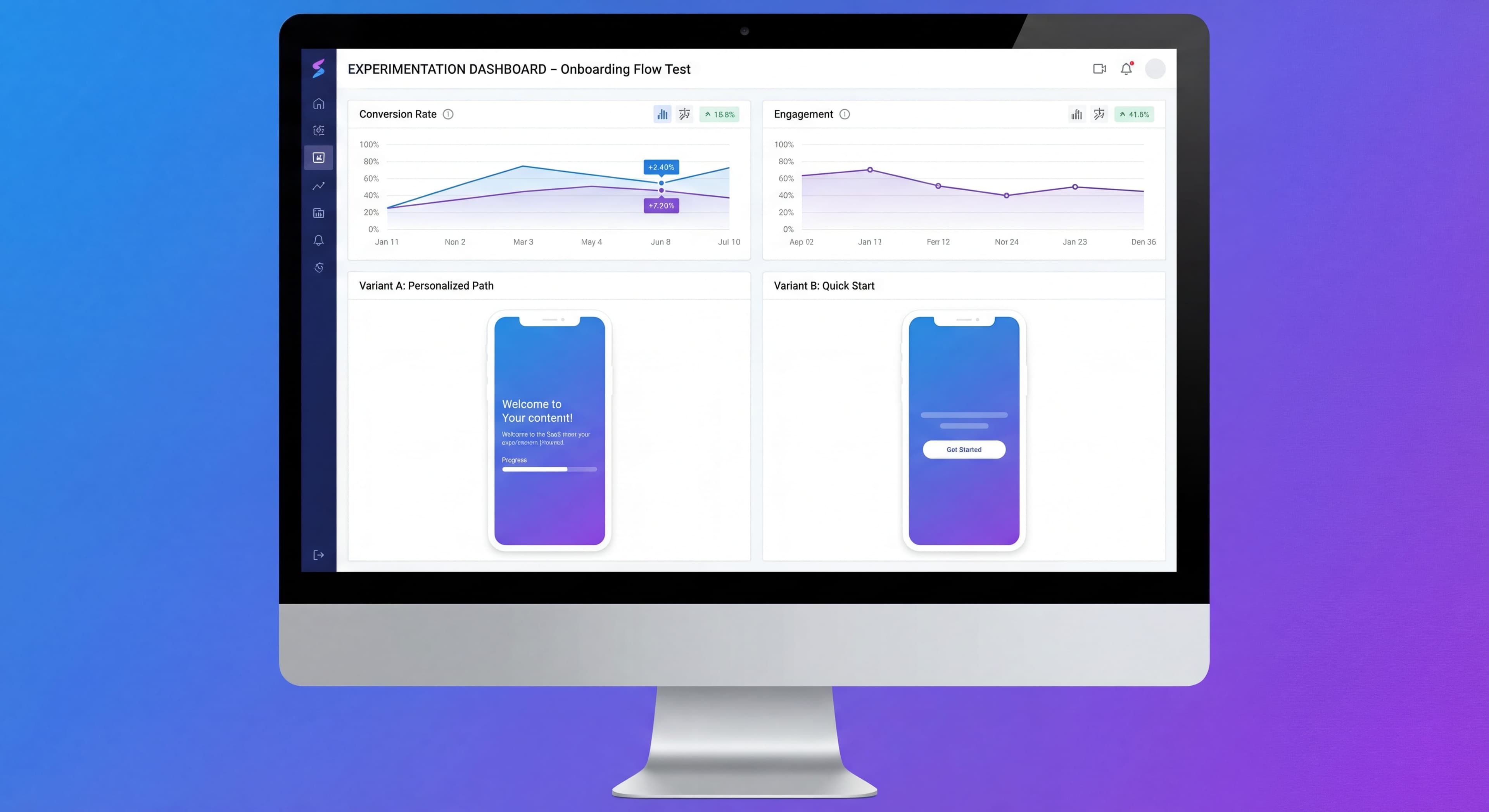

Improving onboarding based on gut feeling is basically gambling. "I think users will prefer this" sounds confident but it's really just hope dressed up as strategy. A/B testing changes the game entirely, turning hunches into actual data you can act on.
This guide walks through how to run onboarding experiments that actually tell you something useful.
Documenting test results manually?
Create step-by-step guides that capture your A/B testing process and learnings with Glitter AI.
Why A/B Test Onboarding?
The Case for Testing
Product intuition matters, sure. But it's also wrong more often than most people want to admit. What feels like an obviously better experience frequently underperforms when you actually test it. The gap between what we assume users want and what they actually respond to can be humbling. According to recent research on mobile onboarding, getting onboarding right can boost lifetime value by up to 500%. That's worth testing for.
Small onboarding changes sometimes produce surprisingly big results. Shortening a tour by two steps, adding a progress bar, tweaking button copy. These might seem trivial, but they can shift activation rates by 10% or more. And those wins stack up. If you bump activation by 5% this month and 3% next month, you're not just adding percentages. You're multiplying gains through your whole funnel.
Testing also gives you something harder to quantify: ammunition for internal debates. When product, design, and engineering can't agree on the right approach, actual data tends to settle things faster than another meeting. It's easier to get buy-in when you're pointing at results instead of opinions.
What Testing Can Tell You
Well-designed experiments can answer questions that really matter. Tour length is a classic test area. Should you give users a quick 3-step intro or a thorough 7-step walkthrough? The difference in completion rates can be substantial. According to onboarding A/B testing research, different user segments often prefer completely different approaches. What works for power users might frustrate beginners, and vice versa.
Checklists are another thing worth testing. Some products see great results from them because they give users clear goals. But for other products? Checklists just feel like homework and drive people away. You won't know which camp your users fall into until you test it. Same goes for copy. Does "Save 5 hours per week" work better than "Advanced automation engine"? Does casual language outperform professional tone? Your assumptions might be wrong.
Feature sequencing is trickier but potentially more impactful. Which capabilities should you show first to get users to that "aha moment" as fast as possible? And how much hand-holding do people actually want? Some users crave guidance. Others just want to poke around without interruption. Testing helps you find the right balance for your audience.
Testing Limitations
A/B testing has real limitations, and it helps to be honest about them upfront. Traffic is the biggest constraint. You need enough users in each variant to reach statistical significance, typically at least 500 per group according to mobile A/B testing best practices. If you're a smaller product, that means running tests longer or accepting that you'll only catch bigger effects.
Time is the other enemy of testing. Most onboarding experiments need at least one or two full business cycles to produce reliable results. Stopping early when things "look good" is tempting but risky. Those early winners often don't hold up over time. This patience requirement frustrates stakeholders who want answers yesterday.
You also can't test everything at once. Split your traffic too many ways and each segment becomes too small to matter. Run too many tests simultaneously and they start interfering with each other. So you're forced to prioritize. And keep in mind that test results have context. What works now might not work next quarter. Your user mix changes. Competitors shift. Seasons affect behavior. Nothing is permanent.
A/B Testing Fundamentals
How A/B Tests Work
Control (A):
Existing onboarding experience.
Variant (B):
Modified version with one change.
Random Assignment:
Users randomly assigned to A or B.
Measurement:
Compare outcomes between groups.
Conclusion:
Statistical comparison determines winner.
Key Concepts
Sample Size:
Number of users in the test.
Statistical Significance:
Confidence that results aren't random chance.
Effect Size:
Magnitude of difference between variants.
P-Value:
Probability that observed difference occurred by chance.
Confidence Interval:
Range where true value likely falls.
What to Test
High-Impact Test Areas
Tour length is probably the highest-impact thing you can test. Three steps? Five? Seven? Research from M Accelerator's onboarding guide shows shorter tours typically get 20-40% higher completion rates. But shorter isn't always better. You might sacrifice understanding. The goal is finding the minimum length that gets users to value without drowning them in information.
Checklists are surprisingly divisive. For complex products with lots of setup steps, they reduce confusion and give users clear goals. For simpler tools, they can feel like busy work. Testing whether to include one at all often matters more than tweaking the checklist itself.
Copy testing tends to produce unexpected results. "Advanced analytics dashboard with real-time data visualization" sounds impressive. But "See exactly where your time goes" often converts better. Benefit-focused language beats feature descriptions for most consumer and SMB products, though enterprise technical buyers sometimes prefer the detailed specs. You won't know your audience's preference until you test.
Visual choices matter more than most teams realize. Illustration style, color schemes, modal placement. When you trigger onboarding, immediately after signup or after the first action, can shift activation by 10-20% according to Appcues' A/B testing research. Whether tours start automatically or wait for users to opt in also makes a real difference, especially when your users have varied experience levels.
Test Prioritization Framework
Impact Potential:
How much could this move the needle?
Test Clarity:
Can we measure the outcome clearly?
Implementation Effort:
How hard is it to build the variant?
Traffic Requirements:
Do we have enough users to test?
Priority Score:
High impact + Clear measurement + Low effort = Prioritize
What Not to Test
Multiple Changes:
Can't attribute results to specific element.
Rare Events:
Won't reach significance.
Subjective Outcomes:
Hard to measure reliably.
Low-Traffic Areas:
Test will take too long.
Designing Tests
Hypothesis Formation
Structure:
If we [change], then [outcome] will [improve] because [reason].
Good Hypothesis:
"If we reduce the product tour from 7 steps to 4 steps, then tour completion rate will increase by 15% because users will experience less fatigue."
Bad Hypothesis:
"The new tour will be better."
Variable Selection
Independent Variable:
What you're changing (tour length).
Dependent Variable:
What you're measuring (completion rate).
Control Variables:
What you're holding constant (user segment, time of day).
Success Metrics
Primary Metric:
The main outcome you're testing.
- Tour completion rate
- Activation rate
- Time to value
Secondary Metrics:
Additional outcomes to monitor.
- User sentiment
- Feature adoption
- Support tickets
Guardrail Metrics:
Ensure you're not causing harm.
- Overall conversion
- User satisfaction
- Churn rate
Sample Size Calculation
Factors:
- Baseline conversion rate
- Minimum detectable effect
- Statistical significance level (typically 95%)
- Statistical power (typically 80%)
Example:
- Baseline activation: 35%
- Want to detect 10% relative improvement (35% → 38.5%)
- Need approximately 3,500 users per variant
Tools:
- Evan Miller's Sample Size Calculator
- Optimizely Sample Size Calculator
- In-platform calculators
Running Tests
Test Setup
Random Assignment:
Users must be randomly assigned, not self-selected.
Consistent Experience:
Users should see same variant throughout their onboarding.
Tracking Implementation:
Ensure events are properly tracked for both variants.
QA:
Test both variants thoroughly before launch.
Duration Guidelines
Minimum:
Until statistical significance reached.
Recommended:
At least 1-2 full business cycles (weeks).
Maximum:
Don't run tests indefinitely—decision paralysis.
Timing Considerations:
- Avoid holidays or unusual periods
- Account for weekly patterns
- Consider cohort effects
Monitoring During Tests
Daily Checks:
- Are both variants receiving traffic?
- Any technical issues?
- Results trending as expected?
Don't:
- Stop early because it "looks good"
- Make changes mid-test
- Check constantly (increases false positives)
Statistical Significance
Understanding P-Values
P-Value Definition:
Probability that the observed difference (or larger) would occur if there were no real difference.
Common Threshold:
P < 0.05 (95% confidence)
Interpretation:
P = 0.03 means 3% chance the difference is random.
Confidence Intervals
Definition:
Range where the true effect size likely falls.
Example:
95% CI: [2.1%, 8.4%] improvement means we're 95% confident the true improvement is between 2.1% and 8.4%.
Narrow vs Wide:
- Narrow CI = more precise estimate
- Wide CI = less certainty, may need more data
Common Statistical Mistakes
Peeking:
Checking results repeatedly increases false positives.
Stopping Early:
Ending test at first sign of significance.
Multiple Testing:
Testing many metrics increases false positives.
Small Samples:
Results are unreliable with insufficient data.
Ignoring Effect Size:
Statistically significant doesn't mean practically important.
Analyzing Results
Reading Results
Clear Winner:
- Statistically significant difference
- Effect size meaningful
- Consistent across segments
No Clear Winner:
- Not significant
- Effect too small to matter
- Implement based on other factors
Surprising Results:
- Winner opposite of hypothesis
- Investigate why
- Consider confounding factors
Training taking too long?
Create step-by-step guides that get users productive faster with Glitter AI.
Segmented Analysis
After Test Completes:
Examine results by segment.
Questions:
- Does the winner vary by user type?
- Are there segments where loser actually wins?
- Any unexpected patterns?
Caution:
Segmented analysis should inform future tests, not change current conclusions.
Effect Size Interpretation
Practical Significance:
Is the improvement worth implementing?
Example:
0.5% improvement in activation might be significant but not worth the complexity.
Context Matters:
- Business impact
- Implementation cost
- Maintenance burden
Implementation and Follow-Up
Implementing Winners
Full Rollout:
Deploy winning variant to all users.
Monitoring:
Watch metrics after full rollout.
Documentation:
Record what was tested, results, and learnings.
What If No Winner?
Options:
- Implement simpler/cheaper option
- Run follow-up test with larger difference
- Decide based on qualitative factors
- Accept current approach is optimal
Learning and Iteration
Document Everything:
- Hypothesis
- Test design
- Results
- Learnings
Share Results:
Inform team of findings.
Plan Next Test:
Build on what you learned.
Test Ideas by Category
Tour Tests
Length:
- 3 steps vs 5 steps
- Comprehensive vs focused
Style:
- Tooltips vs modals vs slideouts
- With images vs text only
Timing:
- Immediate vs after first action
- Automatic vs user-initiated
Content:
- Feature-focused vs benefit-focused
- Formal vs conversational tone
Checklist Tests
Presence:
- With checklist vs without
Length:
- 5 items vs 7 items vs 10 items
Structure:
- Linear vs non-linear
- Required vs optional items
Gamification:
- Progress bar vs percentage
- Rewards vs no rewards
Copy Tests
Headlines:
- Action-oriented vs benefit-oriented
- Short vs descriptive
CTAs:
- "Get Started" vs "Create Your First [X]"
- Button text variations
Tone:
- Professional vs casual
- Personalized vs generic
Email Tests
Subject Lines:
- Question vs statement
- Personalized vs generic
Content:
- Long form vs short form
- Single CTA vs multiple options
Timing:
- Day 1 vs Day 3
- Morning vs evening
Frequency:
- Daily vs every other day
Training taking too long?
Create step-by-step guides that get users productive faster with Glitter AI.
Tools for A/B Testing
Built into DAPs
Appcues:
A/B testing for flows (higher tiers).
Userpilot:
Experiment capabilities included.
Pendo:
Testing through guide targeting.
Dedicated Testing Tools
Optimizely:
Full-featured experimentation platform.
VWO:
Visual testing tool.
Split.io:
Feature flag based testing.
Analytics Platforms
Amplitude:
Experiment analysis.
Mixpanel:
A/B test analysis.
Choosing Tools
Consider:
- Traffic volume
- Technical requirements
- Integration needs
- Budget
- Team expertise
Building a Testing Culture
Process Elements
Regular Test Cadence:
Always have a test running.
Hypothesis Backlog:
Maintain list of test ideas.
Review Cycle:
Regular meetings to review results.
Documentation System:
Track all tests and learnings.
Team Alignment
Shared Goals:
Everyone understands testing objectives.
Data Literacy:
Team can interpret results.
Patience:
Accept that tests take time.
Learning Orientation:
"Failed" tests still provide value.
Common Cultural Obstacles
HiPPO (Highest Paid Person's Opinion):
Decisions made by authority, not data.
Impatience:
Stopping tests early or not running them.
Confirmation Bias:
Interpreting results to match beliefs.
Fear of Failure:
Not testing because results might be negative.
Case Study: Testing in Practice
The Test
Hypothesis:
Reducing tour from 7 steps to 4 steps will improve activation rate because users will complete more tours.
Setup:
- Control: 7-step tour
- Variant: 4-step tour
- Sample: 5,000 users per variant
- Duration: 3 weeks
- Primary metric: Activation rate
Results
Tour Completion:
- Control: 42%
- Variant: 68%
- Lift: 62%
Activation Rate:
- Control: 28%
- Variant: 34%
- Lift: 21%
Statistical Significance:
P < 0.01, 95% CI: [4.1%, 8.2%]
Analysis
- Shorter tour dramatically improved completion
- Activation improved significantly
- Effect consistent across segments
- No negative impact on other metrics
Action
Implemented 4-step tour for all users. Planning follow-up test on step content.
Training taking too long?
Create step-by-step guides that get users productive faster with Glitter AI.
The Bottom Line
A/B testing takes onboarding from "I think this is better" to "I know this is better." It requires patience and discipline. You need to design tests properly, wait for significance, and be honest about what the results actually show. But it's the only reliable way to know what works.
Key Principles:
- Form clear hypotheses
- Test one variable at a time
- Wait for statistical significance
- Consider practical significance
- Document and learn from every test
The point isn't running tests for the sake of testing. It's making better decisions. Tests are just the tool. Better onboarding is what you're actually after.
Continue learning: Onboarding Metrics KPIs and Funnel Analysis.
Frequently Asked Questions
What is the best way to A/B test onboarding flows?
Start by forming a clear hypothesis, test one variable at a time, ensure random user assignment, and wait for statistical significance before drawing conclusions. Focus on high-impact areas like tour length, checklist presence, and copy variations.
How long should an A/B test run for onboarding experiments?
Run tests until you reach statistical significance, typically at least 1-2 full business cycles (weeks). Avoid stopping early based on initial results, and account for weekly patterns and cohort effects in your timing.
What sample size do I need for onboarding A/B tests?
Sample size depends on your baseline conversion rate and minimum detectable effect. For example, detecting a 10% relative improvement in a 35% activation rate requires approximately 3,500 users per variant. Use sample size calculators to determine your specific needs.
What are the most important onboarding elements to A/B test?
Prioritize testing tour length (3 vs 5 vs 7 steps), checklist presence, copy variations (feature-focused vs benefit-focused), timing (immediate vs delayed), and trigger types (automatic vs user-initiated) as these typically have the highest impact on activation.
How do I know if my A/B test results are statistically significant?
Look for a p-value below 0.05 (95% confidence) and examine the confidence interval. A narrow confidence interval indicates a more precise estimate. Also consider practical significance - whether the improvement is meaningful enough to justify implementation.