AI in Onboarding: What's Real and What's Hype
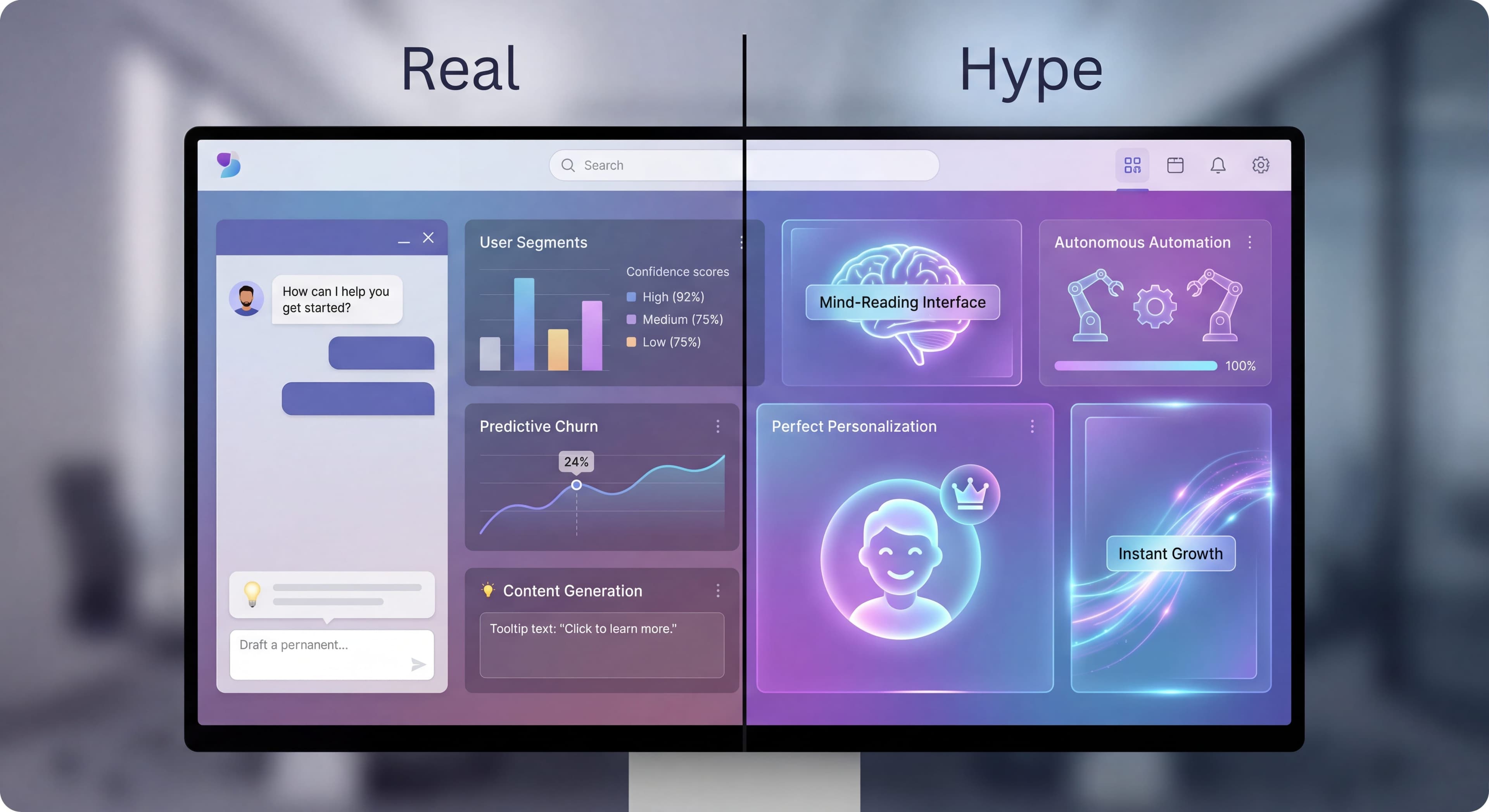

Every onboarding tool claims AI capabilities these days. "AI-powered," "intelligent," "smart." The marketing buzzwords are everywhere. But how much of it actually does something useful? Cutting through the hype matters if you want to make smart purchasing decisions and avoid disappointment.
This guide tries to separate what's genuinely useful right now from what's still mostly vaporware.
Drowning in tool evaluations?
Create step-by-step guides that document your vendor evaluation process and share findings with your team using Glitter AI.
The AI Landscape in Onboarding
What "AI" Usually Means
"AI" has become so overused in software marketing that the word barely means anything anymore. In the product adoption space, any automation, any personalization logic, any data-driven feature gets slapped with the "AI-powered" label. Two products described identically might have completely different technology under the hood.
Most "AI" features in onboarding tools fall into a few buckets. The simplest is rule-based automation. If-then logic. "If user did X, then show Y." It works fine within its defined parameters, but there's no learning happening. It's not AI in any meaningful sense, despite how it gets marketed.
Actual machine learning is the next step up. Pattern recognition, clustering, predictive scoring. These systems genuinely learn from historical data. They might identify churn-likely users or group similar journeys together. Real AI, yes, but fairly basic implementations that don't live up to the marketing hype.
Large language models are the newest addition, mostly for content generation. Tools that draft tooltip copy or generate tour content. They're useful for saving time on writing, but they don't fundamentally change how onboarding works. And the truly adaptive systems that learn from every interaction and autonomously optimize experiences? Those are mostly promised, rarely delivered. The technical challenges and risks of autonomous optimization keep most vendors from actually shipping that stuff.
Current Capabilities
Actually Working:
- Content generation assistance
- Basic behavior prediction
- Automated segmentation
- Simple personalization
Emerging:
- Dynamic flow optimization
- Real-time personalization
- Predictive guidance
- Conversation-based onboarding
Still Hype:
- Fully autonomous onboarding creation
- Mind-reading user intent
- Perfect personalization at scale
- Zero-effort optimization
Real AI Capabilities
1. AI Content Generation
What It Does:
Uses LLMs to draft onboarding content—tooltips, tour copy, welcome messages.
Current Reality:
Actually useful. Saves time on first drafts.
Example (Userflow Smartflow):
- Describe what you want
- AI generates tour content
- Human reviews and refines
Limitations:
- Needs product context to be accurate
- Quality varies
- Still requires human editing
- Generic without customization
Verdict: ✅ Real and useful
2. AI-Powered Segmentation
What It Does:
Analyzes user behavior to create segments automatically.
Current Reality:
Works for basic pattern recognition.
Example:
- Cluster users by behavior patterns
- Identify at-risk users
- Group similar user journeys
How It Works:
User Data → ML Clustering → Segments
- Feature usage patterns
- Time spent in areas
- Action sequences
→ "Power Users," "At Risk," "Feature-Focused"
Limitations:
- Requires significant data volume
- May surface obvious segments
- Needs human interpretation
- Black box clustering can be confusing
Verdict: ✅ Real, with caveats
3. Predictive Analytics
What It Does:
Predicts user outcomes (activation, churn, conversion) based on behavior.
Current Reality:
Genuinely useful when properly implemented.
Example Predictions:
- "User likely to churn" (75% confidence)
- "User likely to convert" (60% confidence)
- "User needs help" (80% confidence)
Practical Use:
Prediction: User at risk of churn
Action: Trigger re-engagement onboarding
Result: Proactive intervention
Limitations:
- Needs historical data to train
- Accuracy varies significantly
- Can be self-fulfilling
- Requires calibration
Verdict: ✅ Real and valuable, but requires investment
4. Smart Recommendations
What It Does:
Suggests features or content based on user behavior and similar users.
Current Reality:
Basic collaborative filtering works.
Example:
"Users like you also found [feature] helpful"
How It Works:
User A behavior → Similar to Users B, C, D
Users B, C, D used Feature X
Recommend Feature X to User A
Limitations:
- Cold start problem (new users/features)
- Assumes behavior = value
- Can create filter bubbles
- Quality depends on data
Verdict: ⚠️ Partially real, often oversold
5. Automated Flow Optimization
What It Does:
Automatically adjusts flows based on performance.
Current Reality:
Limited implementations exist.
What Works:
- A/B test automation
- Basic variant selection
- Performance-based routing
What's Claimed But Rare:
- Fully autonomous optimization
- Real-time flow adjustment
- Self-improving onboarding
Limitations:
- Requires lots of traffic
- Risky without guardrails
- Often simpler than claimed
- Human oversight still needed
Verdict: ⚠️ Partially real, often overstated
What's Still Hype
1. "AI Creates Your Onboarding"
The Claim:
AI analyzes your product and automatically creates optimal onboarding.
The Reality:
AI can assist, but can't replace understanding your users and product.
Why It Doesn't Work:
- AI doesn't know your user goals
- Optimal paths are business decisions
- Context requires human judgment
- One-size-fits-all fails
What AI Can Do:
- Suggest possible tour paths
- Generate draft content
- Identify unused features
- Surface common user patterns
2. "Mind-Reading Personalization"
The Claim:
AI understands exactly what each user needs.
The Reality:
AI makes educated guesses based on patterns.
Why It's Overstated:
- Limited data per user
- Humans are complex
- Intent isn't always clear
- Privacy limits data collection
What Actually Works:
- Role-based personalization
- Behavior-triggered content
- Progressive profiling
- Segment-based variations
3. "Set It and Forget It"
The Claim:
AI continuously optimizes without human intervention.
The Reality:
Autonomous optimization is risky and limited.
Why It's Problematic:
- Optimizing wrong metrics
- Missing business context
- Unexpected outcomes
- Compliance concerns
What's Realistic:
- AI suggests improvements
- Humans approve changes
- Automated A/B testing
- Performance alerts
4. "Instant ROI from AI"
The Claim:
AI features immediately improve onboarding.
The Reality:
AI requires data, tuning, and time.
Actual Timeline:
- Week 1-4: Setup and data collection
- Month 2-3: Basic patterns emerge
- Month 4-6: Predictions become useful
- Ongoing: Continuous refinement
Evaluating AI Claims
Processes undocumented?
Create step-by-step SOPs that capture best practices in minutes with Glitter AI.
Questions to Ask Vendors
About Capabilities:
- What specifically does the AI do?
- What data does it require?
- How long until it's effective?
- What's the accuracy/confidence level?
- Can we see a demo with real data?
About Limitations:
- What doesn't the AI do?
- What human oversight is needed?
- How do you handle edge cases?
- What happens with limited data?
Red Flags:
- "It just works automatically"
- Vague technical explanations
- No discussion of limitations
- Guaranteed results without context
Proof Points to Request
Evidence of Value:
- Customer case studies
- Benchmarks with/without AI
- Accuracy metrics
- Time to value data
Technical Credibility:
- ML team background
- Model documentation
- Data requirements
- Privacy approach
Practical AI Implementation
Start with High-Value, Low-Risk
Good Starting Points:
- Content generation for drafts
- Segmentation suggestions
- Performance anomaly detection
- A/B test analysis
Why These Work:
- Human remains in the loop
- Failure is recoverable
- Value is immediate
- Data requirements are manageable
Build Up Gradually
Phase 1: AI-Assisted
- AI suggests, human decides
- Content drafts, not final copy
- Segment suggestions to review
- Alert on issues
Phase 2: AI-Enhanced
- Automated simple decisions
- Performance-based routing
- Predictive triggers
- Human override available
Phase 3: AI-Automated
- Autonomous optimization (limited scope)
- Dynamic personalization
- Predictive interventions
- Human oversight on outcomes
Measure AI Impact
Track:
- Time saved (content creation)
- Decision quality (prediction accuracy)
- Outcome improvement (activation, retention)
- False positives/negatives
Example Measurement:
Without AI prediction: 30% churn in segment
With AI prediction + intervention: 22% churn
Impact: 27% churn reduction
Processes undocumented?
Create step-by-step SOPs that capture best practices in minutes with Glitter AI.
The Future of AI in Onboarding
Near-Term (2026-2027)
The next year or two should bring better LLM integration for content creation. According to 2025 AI adoption trends, enterprise AI spending jumped from $11.5 billion in 2024 to $37 billion in 2025. That money is fueling development. Expect content generation that better understands your product terminology, your brand voice, and different user segments.
Prediction accuracy should improve as vendors collect more training data. Current systems struggle with newer products that don't have historical data to learn from. But as product analytics platforms proliferate and vendors figure out cross-product learning, forecasting will get better even for early-stage companies. Recent research shows enterprises adopting AI at unprecedented scale through product-led growth, which creates network effects that improve predictions.
Conversational guidance will probably get more natural. Instead of scripted tooltips, you might have dialogue-based help that answers questions in context, adjusts explanations based on whether users seem to understand, and matches complexity to sophistication level. Setup and configuration might simplify dramatically as AI gets better at understanding product structure and generating baseline onboarding automatically.
What does this mean practically? Onboarding creation that takes weeks might shrink to days. Personalization that goes beyond segments to truly individual experiences. Systems that adjust mid-flow based on engagement signals. Automated analysis that spots friction points and generates optimization ideas without someone manually crunching data. Growth teams could spend more time on strategy and less on grunt work.
Medium-Term (2028-2029)
Possible Developments:
- Multi-modal AI (text, voice, visual)
- True adaptive learning per user
- Deeper product integration
- Autonomous optimization (limited)
Uncertainties:
- Regulation impact
- Privacy evolution
- Technical breakthroughs
- Market adoption
What Won't Change
Fundamentals Remain:
- Understanding your users matters
- Clear goals are essential
- Testing and iteration required
- Human judgment needed
AI enhances but doesn't replace product thinking.
Vendor AI Comparison
Current AI Features by Tool
Userflow:
- Smartflow AI for content generation
- AI-powered search in resource centers
- Verdict: ✅ Genuinely useful AI
Userpilot:
- AI writing assistant
- Predictive analytics (in development)
- Verdict: ⚠️ Basic AI, improving
Pendo:
- AI-powered guides suggestions
- Behavioral analytics
- Verdict: ⚠️ Analytics-focused, less AI in creation
WalkMe:
- AI recommendations
- Predictive engagement
- Verdict: ⚠️ Enterprise features, complex
Product Fruits:
- AI content assistant
- Basic automation
- Verdict: ⚠️ Early-stage AI
Choosing Based on AI Needs
If You Want Content Help:
Userflow, Userpilot—good LLM integration.
If You Want Predictions:
Pendo, WalkMe—more analytics maturity.
If You Want Automation:
Most tools offer rule-based (not AI) automation.
Processes undocumented?
Create step-by-step SOPs that capture best practices in minutes with Glitter AI.
The Bottom Line
AI in onboarding is real, but limited. The stuff that actually works today: content assistance, basic prediction, pattern recognition. The "magical" autonomous AI that vendors promise? Still mostly marketing.
What's Real:
- Content generation assistance (genuinely useful)
- Behavior-based predictions (useful if you have data)
- Automated segmentation (helpful for spotting patterns)
- A/B test optimization (works with enough traffic)
What's Hype:
- Fully autonomous onboarding creation
- Perfect personalization without effort
- Set-it-and-forget-it optimization
- Instant results without setup
Key Principles:
- AI assists, humans decide
- Data quality matters more than AI sophistication
- Start simple, add complexity gradually
- Measure actual impact, not promised impact
- Keep expectations realistic
The smartest approach treats AI as a tool that helps human judgment, not a replacement for actually understanding your users and your product. The moment you stop thinking and let AI take over, you're in trouble.
Continue learning: Product Analytics for Onboarding and The Future of Product Onboarding.
Frequently Asked Questions
What AI features in onboarding tools actually work?
Currently working AI features include content generation assistance for drafting tooltips and tour copy, basic behavior prediction for identifying at-risk users, automated segmentation for pattern recognition, and A/B test optimization with sufficient traffic.
Is AI-powered personalization in onboarding real or hype?
Basic AI personalization like role-based content and behavior-triggered guidance works today. However, claims of 'mind-reading' personalization that perfectly understands each user's needs remain overstated. Effective personalization still requires good data and human oversight.
How long does it take for AI onboarding features to become effective?
Expect weeks 1-4 for setup and data collection, months 2-3 for basic patterns to emerge, and months 4-6 before predictions become reliably useful. AI requires data, tuning, and time - instant ROI claims are typically hype.
Can AI automatically create and optimize my onboarding flows?
AI can assist with drafting content, suggesting tour paths, and identifying unused features, but cannot replace understanding your users and product. Fully autonomous onboarding creation and 'set it and forget it' optimization remain more marketing than reality.
What questions should I ask vendors about their AI onboarding features?
Ask what the AI specifically does, what data it requires, how long until it's effective, what accuracy levels to expect, and what limitations exist. Red flags include claims of automatic operation, vague explanations, no discussion of limitations, and guaranteed results.